求职者反过来研究 Sunricher
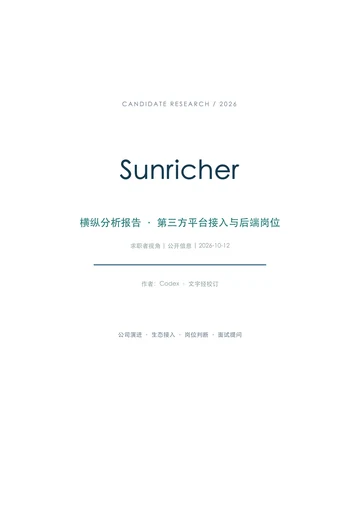
10 月 12 日下午交给 Codex,之后没再插话。它自己干了 12 分钟,派出 3 个子任务分头查,交回一份 19 页、62 个来源的报告。
按下播放,用 12 秒看完这 12 分钟。
$hv-analysis 用横纵分析法研究 Sunricher 这家公司(官网 https://sunricher.com/ )。
研究动机:我是一名 Node.js 后端开发者,准备应聘 Sunricher 第三方平台接入方向的 Node.js 后端岗位。面试前,我想站在求职者的角度审视这家公司。
特别关注:
- 第三方平台接入在 Sunricher 的产品和业务中处于什么位置:公司已经接入或支持哪些第三方平台、协议和生态,这些接入是怎样逐步加上的。
- 同类公司在第三方平台接入上怎么做,Sunricher 处在什么位置。
- 这个岗位的 Node.js 后端开发大概要做什么,公开信息里能看到哪些技术线索。
- 面试前值得弄清、但公开信息回答不了的问题,整理成面试时可以提问的清单。
要求:
- 只用公开信息;每个关键事实附来源链接,找不到的写「找不到」,不要推测补全。
- 用中文写,产出 PDF。
我会使用横纵分析法 skill,从求职者视角梳理 Sunricher 的发展、平台与协议接入,以及同类公司的做法。报告会区分公开事实、岗位技术线索和找不到的信息,并整理面试提问清单,最终产出中文 PDF。
干了不到 1 分钟,7 步
搜索 4 次,打开 5 个网页,运行 6 条命令,派出 3 个子任务,其他操作 1 次
运行 cat ~/code/ai-literacy-series/.agents/skills/hv-analysis/SKILL.md
text(await tools.exec_command({cmd:"cat ~/code/ai-literacy-series/.agents/skills/hv-analysis/SKILL.md","max_output_tokens":12000}));
text(ALL_TOOLS.filter(x=>/search|browse|fetch/i.test(x.name+" "+x.description)).map(x=>({name:x.name,description:x.description.slice(0,110)})));
Script completed Wall time 0.1 seconds Output: {"chunk_id":"2086c3","wall_time_seconds":0.000006833,"exit_code":0,"original_token_count":4931,"output":"---\nname: hv-analysis\ndescription: |\n 横纵分析法(Horizontal-Vertical Analysis)深度研究Skill。由数字生命卡兹克提出,融合了索绪尔的历时-共时分析、社会科学的纵向-横截面研究设计、商学院案例研究法与竞争战略分析的核心思想。\n 当用户想要系统性研究一个产品、公司、概念、技术或人物时使用。核心是双轴分析:纵轴追踪从诞生到当下的完整生命历程(以叙事故事呈现),横轴在当下时间截面上与竞品/同类进行系统性横向对比,最后交叉两条轴产出独到洞察。最终产出一份排版精美的PDF研究报告。\n 触发词包括但不限于:横纵分析、研究一下、帮我分析、深度研究、做个研究、调研一下、竞品分析、帮我看看这个东西怎么样、这个产品/公司/概念是怎么回事、帮我摸清楚、帮我搞懂、帮我做个deep research。\n 即使用户只是说\"帮我了解一下XX\"或\"XX是什么来头\",只要上下文暗示需要系统性的深度研究(而非简单的概念解释),都应该触发。也适用于用户丢来一个产品名、公司名、技术名词说\"帮我研究一下这个\"的场景。\n 不要用于简单的名词解释(用户只是问\"XX是什么\")、不要用于公众号写作(那个用khazix-writer)、不要用于纯标题摘要生成(用wechat-title)。\n---\n\n# 横纵分析法深度研究\n\n> **方法论溯源**\n> 横纵分析法由数字生命卡兹克(Khazix)提出,融合了语言学中的历时-共时分析(Saussure)、社会科学中的纵向-横截面研究设计、商学院案例研究法、以及竞争战略分析的核心思想,形成了一套适用于产品/公司/概念/人物的通用研究框架。核心原则不变:纵向追时间深度,横向追同期广度,最终交汇出判断。\n\n你正在执行一次横纵分析法深度研究。最终产出一份**排版精美的PDF研究报告**。\n\n## 前置准备\n\n### 环境准备\n\n1. **确认PDF转换脚本可用**:本Skill自带 `scripts/md_to_pdf.py`(基于WeasyPrint),用于将最终Markdown报告转为排版精美的PDF。确保依赖已安装:`pip install weasyprint markdown --break-system-packages`。\n2. **写作风格**:本Skill已内置完整的写作风格指南(见下文\"写作风格\"部分),无需额外加载其他skill。\n\n### 明确研究对象\n\n拿到用户输入后,确认以下信息。如果用户已经给得足够明确(比如\"帮我用横纵分析法研究Hermes Agent\"),不需要追问,直接开始:\n\n1. **研究对象**:具体的产品名/公司名/概念名/人名\n2. **类型**:产品、公司、概念、人物、还是其他?\n3. **研究动机**(可选):为什么要研究它?最近发生了什么?\n4. **特别关注点**(可选):有没有特别想深入的方向?\n\n---\n\n## 第一步:联网信息收集\n\n这个方法论的质量完全取决于信息的丰富度和准确性。**必须联网搜索**,不能仅靠已有知识。研究报 …(中间省略 22326 字)… developers.openai.com`, and `learn.chatgpt.com` that this se"},{"name":"mcp__openaiDeveloperDocs__search_openai_docs","description":"Search across `platform.openai.com`, `developers.openai.com`, and `learn.chatgpt.com` docs. Use this whenever "},{"name":"web__run","description":"Tools in the web namespace.\n\nTool for accessing the internet.\n\n\n---\n\n## Examples of different commands availab"}]派出子任务 history
{"task_name":"/root/history"}派出子任务 peers
{"task_name":"/root/peers"}派出子任务 job
{"task_name":"/root/job"}打开 sunricher.com;运行 pwd && rg --files -g 'AGENTS.md' -g 'README.md' -g '*md_to_pdf*' -g '*requirements*' . 等 2 条命令;调用 l…
const rs=await Promise.allSettled([
tools.exec_command({cmd:"pwd && rg --files -g 'AGENTS.md' -g 'README.md' -g '*md_to_pdf*' -g '*requirements*' .","max_output_tokens":2500}),
tools.exec_command({cmd:"cat ~/code/ai-literacy-series/.agents/skills/hv-analysis/scripts/md_to_pdf.py","max_output_tokens":6500}),
tools.mcp__codex_app__load_workspace_dependencies({}),
tools.web__run({open:[{ref_id:"https://sunricher.com/"}],response_length:"long"})
]);rs.forEach(text);
Script completed Wall time 2.6 seconds Output: {"status":"fulfilled","value":{"chunk_id":"bb206c","wall_time_seconds":0.000006083,"exit_code":0,"original_token_count":142,"output":"~/.codex/worktrees/e4c0/ai-literacy-series\n./assets/posters/README.md\n./assets/posters/series/map/README.md\n./assets/posters/series/paper/weekly/README.md\n./assets/posters/series/paper/typeset/README.md\n./assets/posters/series/paper/fan/README.md\n./assets/posters/series/paper/contrast/README.md\n./assets/posters/series/paper/natural/README.md\n./AGENTS.md\n./assets/posters/series/paper/README.md\n./README.md\n./assets/posters/series/paper/original/README.md\n./assets/posters/series/paper/integrated/README.md\n./slides/AGENTS.md\n./slides/archive/README.md\n"}} {"status":"fulfilled","value":{"chunk_id":"aa975d","wall_time_seconds":0.000004625,"exit_code":0,"original_token_count":1594,"output":"#!/usr/bin/env python3\n\"\"\"\n横纵分析法报告 Markdown → PDF 转换脚本 (WeasyPrint版)\n用法: python md_to_pdf.py input.md output.pdf [--title \"报告标题\"] [--author \"作者\"]\n\n依赖: pip install weasyprint markdown --break-system-packages\n\"\"\"\n\nimport sys\nimport os\nimport re\nimport argparse\nimport markdown\n\n# ── CSS 样式 ──\nCSS_TEMPLATE = \"\"\"\n@page {\n size: A4;\n margin: 25mm 20mm 20mm 20mm;\n\n @top-center {\n content: \"HEADER_TEXT\";\n font-family: \"Droid Sans Fallback\", Helvetica, Arial, sans-serif;\n font-size: 8pt;\n color: #95a5a6;\n border-bottom: 0.5pt s …(中间省略 14053 字)… Alliance China Eco-Partner Conference & DALI China Awards Ceremony L173: \nL174: cite157†Why Choose Sunricher LED Controllers L175: \nL176: ©2019, Shenzhen Sunricher Technology Co.,Ltd. All rights reserved.\nL177: cite158† †www.linkedin.com cite159† †www.facebook.com cite160† †www.tiktok.com cite161† †www.youtube.com cite162† †www.instagram.com cite163† †x.com "}点开网页里的 4 个链接;运行 cat AGENTS.md && cat README.md 等 2 条命令
const rs=await Promise.allSettled([
tools.exec_command({cmd:"cat AGENTS.md && cat README.md","max_output_tokens":4000}),
tools.exec_command({cmd:"~/.cache/codex-runtimes/codex-primary-runtime/dependencies/python/bin/python3 -c 'import importlib.util; print({x:bool(importlib.util.find_spec(x)) for x in [\"markdown\",\"weasyprint\",\"fitz\",\"reportlab\"]})' && command -v python3 && command -v uv && fc-list :lang=zh family file | head -12","max_output_tokens":2000}),
tools.web__run({click:[{ref_id:"turn3view0",id:129},{ref_id:"turn3view0",id:155},{ref_id:"turn3view0",id:85},{ref_id:"turn3view0",id:63}],response_length:"long"})
]);rs.forEach(text);
Script completed Wall time 3.0 seconds Output: {"status":"fulfilled","value":{"chunk_id":"f6a9bd","wall_time_seconds":0.000005333,"exit_code":0,"original_token_count":1815,"output":"# Repository rules\n\n项目结构与操作命令见 [README.md](README.md);课程内容的归属与判断顺序遵循 [课程设计索引](course/课程设计/00-课程设计索引.md)。\n\n## 编辑边界\n\n- 已有讲稿按需读取作参考,仅在用户主动要求时更新;更新时遵循 [课程讲稿编写规范](course/课程设计/03-课程讲稿编写规范.md)。\n\n## 课程任务流程\n\n- 大纲一节对应一页 PPT。先与用户讨论本页讲什么、用什么例子,确认后制作,再根据页面继续补充调整,不要求先写完整讲稿。\n- 修改 Slidev 时遵循 [slides/AGENTS.md](slides/AGENTS.md)。具体内容、画面与备注的归属按课程设计索引执行,不要求同步更新参考讲稿。\n- 课程设计与 PPT 制作使用已确认内容和已提供材料,不自行扩展调研或生成调研记录。发现材料不足或事实待确认时,指出具体缺口,交由独立调研补齐;继续处理不受影响的部分。这条也适用于会把调研结果写进仓库的通用 skill(例如 `research`),课程任务里不要用它们产出文件。\n\n## Git 与发布\n\n- 主仓库在公司 GitLab(remote `origin`),合并走 Merge Request,用 `glab` 操作,不用 `gh`。`github` remote 是个人镜像,只在用户明确要求时推送。\n- Commit 用 Conventional Commits,英文,scope 按改动区域取 `course`、`slides`、`posters`、`site`、`media` 等,例如 `feat(slides): ...`、`docs(course): ...`。\n- MR 标题和 commit 一样用 Conventional Commits 英文格式,例如 `feat(posters): add speaker credit edition`;描述用中文。\n- 用户要求时才 commit、push 或开 MR。`./scripts/deploy-slides.sh` 会直接更新线上站点,每次发布都要用户明确说「发布」才运行;`--check` 只读,可以随时用。\n\n## Agent 工具\n\n- 项目 skill 放在 `.agents/skills/`,Claude Code 通过 `.claude/skills/` 下的软链接读取。新增 skill 时两边都要加。\n- 不要新建 `CLAUDE.md`:Claude Code 在没有 `CLAUDE.md` 时才直接读本文件。确实需要 Claude 专用规则时,`CLAUDE.md` 第一行写 `@AGENTS.md`。\n# AI Literacy Series\n\n一套面向公司各岗位同事的 AI 通识课程,共第 0—7 讲,通过实际场景理解 AI 的能力、限制与协作方式。课件使用 Slidev 制作。\n\n- [课程大纲](course/课程大纲.md)\n- [课程设计 …(中间省略 30533 字)… 0†Casambi BLE L75: * cite71†Casambi Sensor L76: * cite72†Casambi Sensorless Node --------------------------------------------------------------------------------\nBubblyNet (https://www.sunricher.com/sig-mesh-series/bubblynet.html)\nciteturn9view3 [wordlim: 200] Crawled: today; Content type: text/html; Source: click({\"ref_id\":\"turn3view0\",\"id\":63}); Total lines: 298\n"}搜索「site.sunricher.com "SunSmart" "API"」等 4 项;运行 UV_CACHE_DIR=/private/tmp/sunricher-uv-cache uv run --with weasyprint -…
text(await tools.web__run({search_query:[{q:'site.sunricher.com "SunSmart" "API"'},{q:'site:sunricher.com "Tuya" "Gateway"'},{q:'site:sunricher.com "Matter" "HomeKit" "SR-" '},{q:'site:sunricher.com "Control4"'}],response_length:"long"}));
text(await tools.exec_command({cmd:"UV_CACHE_DIR=/private/tmp/sunricher-uv-cache uv run --with weasyprint --with markdown --with pymupdf python -c 'import weasyprint, markdown, fitz; print(\"pdf runtime ready\")'","yield_time_ms":1000,"max_output_tokens":1500}));
Script completed Wall time 3.7 seconds Output: 400200253801-SR-GW-TDA instruction.cdr (https://www.sunricher.com/media/resources/manual/SR-GW-TDA%20instruction.pdf) citeturn13search12 [wordlim: 200] Published: 2.5 years ago; Working with “Tuya Smart” APP ... Then open the APP and add the gateway to the network. Working with “Tuya Smart” APP Step 1: Download the APP (searching “Tuya Smart” from App Store and Google Play) and set up an account. Then open the APP and add the gateway to the network. Download “Tuya Smart” Add device Tap here to add gateway Note: 1. Please make sure the following DALI devices is connected with the gateway. 2. Creat an area before adding gateway. 3. Make sure that the WIFI network of mobile phone is in the same network as DALI gateway. Step 2: The gateway was added successfully, then select the gateway to configure the following DALI devices. Added successfully Tap “Add subdevice” to configure following DALI devices Gateway Ensure device is in pairing mode (LED is blinking) LED already blink DONE Step 3: All devices have been found, then add it to a certain area. Room Management Add 2 devices in the Lobby area In the Lobby area, 2 previous devices were added Step 4: Click the device into control page, and click “✎” to creat a group. Note: 1. For group control, only ON/OFF and brightness level are supported now. Create Group Step 5: Enter “Smart” page, creat a scene for certain devices or group. Reference: Click "Creat Scene", then ta …(中间省略 26506 字)… last month; TUYA IoT Smart DALI Gateway Working with Light and Space SR-GW-TDA {"chunk_id":"c8214c","wall_time_seconds":1.001142916,"session_id":45600,"original_token_count":52,"output":"WARN Retry attempt #0. Sleeping 1.231289485s before the next attempt\nWARN Retry attempt #0. Sleeping 1.481511236s before the next attempt\nWARN Retry attempt #0. Sleeping 1.759434041s before the next attempt\n"}
官网已能确认,Sunricher 的接入方式包括设备协议兼容、网关桥接和第三方应用支持,不能都归为“云端 API 接入”。我会在报告中把这些层次拆开,这样才能判断哪些线索与 Node.js 后端岗位有关。
干了 1 分钟,5 步
搜索 9 次,打开 4 个网页,运行 2 条命令,其他操作 1 次
搜索「site:sunricher.com "Control4"」等 3 项
text(await tools.web__run({search_query:[{q:'site:sunricher.com "Control4"'},{q:'site:sunricher.com "Home Assistant"'},{q:'site:sunricher.com "Matter Bridge" "Apple"'}],response_length:"long"}));
text(await tools.write_stdin({session_id:45600,chars:"","yield_time_ms":1000,"max_output_tokens":1500}));
Script completed Wall time 3.7 seconds Output: Matter Bridge (https://www.sunricher.com/matter-series/matter-bridge.html) citeturn16search0 [wordlim: 200] Crawled: today; Then, use Matter platform APP, such as Apple Home, to scan the Matter QR code on the back of the bridge. # Matter Bridge Easily integrate Zigbee devices into Matter platform with this bridge. Simply reset the bridge by holding the “reset” button for 6 seconds to enter pairing mode. Then, use Matter platform APP, such as Apple Home, to scan the Matter QR code on the back of the bridge. Once added, all Zigbee devices connected to the bridge will appear in the APP, allowing seamless control of Zigbee devices through the Matter platform. 3 Item(s) * ## Azoula Smart Hub AZ220614A * ## Zigbee Hub + Matter Bridge + Thread Border Router SR-GW-ZMT * ## Zigbee Hub+Matter Bridge+Thread Border Router SR-GW-CZM-------------------------------------------------------------------------------- (70050091)SR-2100ArtNet-DMX(Record and Play) instruction.cdr (https://www.sunricher.com/media/resources/manual/SR-2100ArtNet-DMX-Record-and-Play-Instruction-V2.pdf) citeturn16search12 [wordlim: 200] Published: 4.6 years ago; SDDP(Control4): this device supports Control4’s SDDP Simple Device Discovery Protocol, once this function is turned on, this device can be integrated into and controlled through Control4 SDDP platform, for detailed operations, please refer to the SDDP operation manual. ... Touch to select a rate …(中间省略 29975 字)… ing 5.523900754s before the next attempt\nerror: Request failed after 3 retries in 6.2s\n Caused by: Failed to fetch: `https://pypi.org/simple/weasyprint/`\n Caused by: error sending request for url (https://pypi.org/simple/weasyprint/)\n Caused by: client error (Connect)\n Caused by: dns error\n Caused by: failed to lookup address information: nodename nor servname provided, or not known\n"}
打开 sunricher.com/media/resources/manual/Azoula%20Smart%20Hub%2… 等 2 个网页;运行 UV_CACHE_DIR=/private/tmp/sunricher-uv-cache…
text(await tools.exec_command({cmd:"UV_CACHE_DIR=/private/tmp/sunricher-uv-cache uv run --with weasyprint --with markdown --with pymupdf python -c 'import weasyprint, markdown, fitz; print(\"pdf runtime ready\")'","sandbox_permissions":"require_escalated","justification":"需要下载公开的 PDF 排版依赖,以生成你要求的中文研究报告。","prefix_rule":["uv","run"],"yield_time_ms":1000,"max_output_tokens":1500}));
text(await tools.web__run({open:[{ref_id:"https://www.sunricher.com/media/resources/manual/Azoula%20Smart%20Hub%20Home%20Assistant%20Configuration%20Instruction.pdf"},{ref_id:"https://www.sunricher.com/media/resources/manual/SR-GW-ZDA-PRO%20instruction.pdf"}],response_length:"long"}));
Script completed Wall time 11.7 seconds Output: {"chunk_id":"6039b0","wall_time_seconds":1.002082667,"session_id":95932,"original_token_count":0,"output":""} Internal Error () citeturn19view0 [wordlim: 200] Source: open({"ref_id":"https://www.sunricher.com/media/resources/manual/Azoula%20Smart%20Hub%20Home%20Assistant%20Configuration%20Instruction.pdf","lineno":null}); Total lines: 1 L0: Failed to fetch https://www.sunricher.com/media/resources/manual/Azoula%20Smart%20Hub%20Home%20Assistant%20Configuration%20Instruction.pdf: (400) Timeout fetching -------------------------------------------------------------------------------- 400200321601-SR-GW-ZDA-PRO instruction.cdr (https://www.sunricher.com/media/resources/manual/SR-GW-ZDA-PRO%20instruction.pdf) citeturn19view1 [wordlim: 200] Crawled: 2 weeks ago; Content type: application/pdf; Number of pages: 2; Source: open({"ref_id":"https://www.sunricher.com/media/resources/manual/SR-GW-ZDA-PRO%20instruction.pdf","lineno":null}); Total lines: 126 L0@P0: DIN Rail Ethernet (IP) DALI & Zigbee Gateway L1@P0: Input L2@P0: Voltage L3@P0: Output L4@P0: Voltage L5@P0: 24VDC L6@P0: Guaranteed supply current: 230mA L7@P0: Max. supply current: 250mA 12-22.5VDC L8@P0: Output Current L9@P0: Important: Read All Instructions Prior to Installation L10@P0: Size(LxWxH) L11@P0: 110x53x65mm L12@P0: Product Data L13@P0: Ambient L14@P0: Temperature L15@P0: -20℃ ~ +50℃ L16@P0: Number of L17@P0: DALI Channel L18@P0: 1 L19@P0: While built-in DALI PS …(中间省略 3593 字)… Gear L104@P1: DA L105@P1: DA L106@P1: DALI DT8 Control Gear L107@P1: DA L108@P1: DA L109@P1: L L110@P1: N L111@P1: G L112@P1: V - L113@P1: V+ OUTPU L114@P1: IN L115@P1: T L116@P1: PUT L117@P1: 24V L118@P1: CV PSU L119@P1: L N G L120@P1: Router L121@P1: DALI-2 Push Button L122@P1: DALI-2 Sensor L123@P1: Azoula APP L124@P1: Zigbee lighting, curtain controller, L125@P1: thermostat, remote, sensors...- 给子任务发消息 job
搜索「site:sunricher.com "MQTT" "API"」等 3 项
text(await tools.web__run({search_query:[{q:'site:sunricher.com "MQTT" "API"'},{q:'site:bacnetinternational.net "31627"'},{q:'site:sunricher.com "DALI Center"'}],response_length:"long"}));
text(await tools.write_stdin({session_id:95932,chars:"","yield_time_ms":1000,"max_output_tokens":1800}));
Script completed Wall time 4.1 seconds Output: APP & Catalogue Download (https://www.sunricher.com/downloads) citeturn24search0 [wordlim: 200] Crawled: last month; DALI-2 Center SR-GW-EDA | DALI-2 Center PC Software | DALI Center User Manual # APP & Catalogue Download * * * Download Sunricher's latest product catalogue, apps for iOS/Android with manuals, and PC software – all in one place for convenient access. ### Download 2026 Product Catalogue EU Catalogue – Product Series | DALI Series | Download --- | --- | --- DALI+DMX+KNX+0-10V+RF+PWM LED Controller+Power Repeater Series | Download --- | --- RF 2.4G Mesh Series | Download --- | --- Zigbee + Matter Series | Download --- | --- SunSmart Series | Download --- | --- SILVAIR Series | Download --- | --- CASAMBI Series | Download --- | --- US Catalogue – Product Series | DALI+DMX+KNX+0-10V+RF+PWM LED Controller+Power Repeater US | Download --- | --- | --- RF 2.4G Mesh - US | Download --- | --- Zigbee + Matter - US | Download --- | --- SunSmart - US | Download --- | --- SILVAIR - US | Download --- | --- CASAMBI - US | Download ### Download PC Software DALI-2 Master SR-2300-USB | Install CH341 Driver | --- | --- | --- DALI Master PC Software | DALI Master Configuration Software Instruction --- | --- Language Template | Language Localization Configuration Instruction --- | --- DALI-2 Center SR-GW-EDA | DALI-2 Ce …(中间省略 37020 字)… pes.util.find_library() did not manage to locate a library called 'libgobject-2.0-0'\n\n-----\n\nWeasyPrint could not import some external libraries. Please carefully follow the installation steps before reporting an issue:\nhttps://doc.courtbouillon.org/weasyprint/stable/first_steps.html#installation\nhttps://doc.courtbouillon.org/weasyprint/stable/first_steps.html#troubleshooting \n\n-----\n\n"}
搜索「"Sunricher" "BTL-31627"」等 3 项;打开 sunricher.com/news 等 2 个网页;运行 ls /opt/homebrew/lib/libgobject* /opt/homebrew/lib/li…
const rs=await Promise.allSettled([
tools.exec_command({cmd:"ls /opt/homebrew/lib/libgobject* /opt/homebrew/lib/libpango* && git status --short","max_output_tokens":1000}),
tools.web__run({open:[{ref_id:"https://www.sunricher.com/news"}],find:[{ref_id:"https://www.sunricher.com/news",pattern:"BTL"}],response_length:"short"}),
tools.web__run({search_query:[{q:'"Sunricher" "BTL-31627"'},{q:'"Sunricher" "Silvair" partnership'},{q:'"Sunricher" "INGY" Wirepas'}],response_length:"long"})
]);rs.forEach(text);
Script running with cell ID 8 Wall time 31.0 seconds Output:
时间线里有一个关键区别:Sunricher 在 2026 年公布了更广的 Matter 产品阵容,但 CSA 的 Azoula Bridge 认证记录早在 2024 年就已存在,不能把 2026 年写成首次接入。另外,目前还找不到能独立核验的该岗位招聘原文,报告会明确保留这一缺口。
干了 1 分钟,11 步
打开 3 个网页,运行 4 条命令,收到 2 份子任务结果,其他操作 5 次
等待子任务
Script running with cell ID 8
Wall time 1.0 seconds
Output:
等待子任务
Script running with cell ID 8
Wall time 1.0 seconds
Output:
子任务 peers 交回结果
横向比较建议采用 **LTECH、广州 Skydance、Shelly**。前两者是照明控制产品的直接同类;Shelly 有 DALI 调光器这一重叠产品,但更适合作为“开发者接入如何成为产品能力”的参照。不要把三者排成综合实力榜。

以下均为公开一手资料,检索日 2026-10-12;“找不到”表示本次检索未获得可验证公开证据,不表示公司内部不存在。

| 维度 | LTECH 雷特 | 广州 Skydance | Shelly |
|---|---|---|---|
| 可比产品 | LED 控制器、调光驱动、智能家居系统 | 调光器、LED 控制器、驱动及协议转换器 | DALI Dimmer Gen3,可把 DALI 灯具接入 Shelly |
| 已确认接口/生态 | DALI、DMX512、0–10V、TRIAC、Bluetooth SIG Mesh;Matter 产品支持 Apple Home、Google Home、Alexa、SmartThings | DA-M(WZ) 支持 Zigbee/RF→DALI、Tuya App;接 Hue Bridge 后由 Hue App 控制 | DALI、Wi-Fi、Bluetooth、KNXnet/IP;公开本地 RPC、MQTT、WebSocket、云端 API |
| 可见接入路径 | 自有 L-Home 云 + 蓝牙 Mesh;再加入 HomeKit/Matter 网关与 Matter 产品 | 借助 Tuya 网关/云和 Hue Bridge,把照明控制硬件接入已有生态 | 自有 App/云 + 本地 API + 多账户 Integrator API |
| 公开开发者文档 | 找不到可供第三方自助开发的完整云 API 文档 | 找不到自有云 API/SDK 文档 | 有;含鉴权、命令、状态通知、用户授权和示例 |
| 商业呈现 | 照明控制硬件和智能家居解决方案 | 明确提供 OEM/ODM、贴牌和联合开发 | 自有品牌硬件零售;另提供集成商 API 许可 |
| Node.js 后端栈 | 找不到 | 找不到 | 本次找不到足以确认其服务端使用 Node.js 的证据;公开 JavaScript 设备脚本不等于 Node.js |

表中事实的原始依据与可引用范围如下。

**1.LTECH:最有用的是“自有云 → 生态网关 → Matter 产品”的演进证据。**

- 官网将产品分为 LED controllers、LED Intelligent Driver、Smart Home,并明确列出 DALI、DMX512、0–10V、TRIAC 与 Bluetooth SIG Mesh。可用于确认产品重叠,勿照搬“领先”等宣传结论。[LTECH 公司介绍](https://www.ltech.cn/html/AboutUs/)
- 2021-03-05 的官方文章称,截至 2021-02-03,该系统蓝牙产品通过 BQB;文章明确说全屋系统通过 **L-Home cloud platform** 与 Alexa/Amazon Echo、Google Assistant 配合,并向下兼容四类调光接口。这是云与现场照明之间分层的明确证据。[2021 年 BQB 与 L-Home 生态说明](https://www.ltech.cn/html/en_news/BQB.html)
- 2024-10-27 的展会稿称,当年推出 Apple 智能网关和超级智能网关,接入 HomeKit;**Matter 在该文发表时仍属即将推出**,计划通过网关固件升级兼容。同期还推出 485 模块,支持与 485/KNX 有线系统互控。不能把这篇稿子当成 2024 年已完成 Matter 接入的证明。[2024 年香港照明展](https://www.ltech.cn/html/en_news/2024_Hong_kong_exhibition_site.html)
- 当前 Matter 产品目录列出 MA-C1/MA-C2/MA-C5 控制器及 Matter→DMX512、Triac、0–10V 调光面板,支持 Apple Home、Google Home、Alexa、SmartThings。[Matter 控制器目录](https://www.ltech.cn/html/LED_Control/MatterControllerEn/)
- 官网新闻索引将 Matter 控制器新品稿标为 **2026-06-26**,Matter/Apple Home 二合一网关稿标为 **2026-08-07**。因此可写“截至 2026 年已有产品证据”,不宜写“2026 才首次支持 Matter”。[官方新闻索引](https://www.ltech.cn/html/en_news/);[二合一网关稿](https://www.ltech.cn/html/en_news/AppleHome.html)

**求职比较含义(分析):** LTECH 说明同类照明厂商的“第三方接入”同时可能发生在云平台、网关和设备固件三个位置。Sunricher 岗位究竟拥有哪一层,需要面试核实,不能从生态 Logo 推定。

**2.Skydance:更接近“做可嵌入第三方系统的照明控制产品”。**

- 官网称公司成立于 2014 年,做 RF 2.4GHz、DMX512、0/1–10V、可控硅等照明控制产品;主要应用包括建筑、酒店、办公室等。[Skydance 公司介绍](https://www.iskydance.com/index.php?a=index&c=about&id=81)
- OEM/ODM 页面明确包含按客户设计制造、现有产品定制 Logo/包装,以及按客户需求联合开发。其页面对 OEM/ODM 英文术语使用不完全常规,报告宜描述具体服务,避免直接复制定义。[OEM/ODM 服务](https://www.iskydance.com/index.php?a=index&c=service&id=78)
- **DA-M(WZ)** 是特别适合与 Sunricher 对照的型号:Zigbee & RF to DALI;Tuya App 云控制;通过 Hue Bridge 使用 Hue App;支持 DT6 调光、DT8 色温/RGB/RGBW、DT7 开关。说明书还明确标注:实现远程及语音控制须使用 Tuya Zigbee 网关。[DA-M(WZ) 官方说明书,第 1 页](https://www.iskydance.com/uploads/goods_file/DA-M%28WZ%29.pdf)
- 官网 DALI 产品页称 DA1、DA4、DH 等部分型号通过 DALI-2 认证;只能写“部分型号”,不能泛化为全线认证。[DALI 产品页](https://www.iskydance.com/index.php?a=index&c=product&pid=164)
- 2025–2026 官方无线产品目录可确认当前已有 Zigbee 控制器、场景面板、网关等系列;**首次接入 Tuya、Hue 的准确年月找不到**。目录年份和 PDF 上传路径不能当作首次发布日。[2025–2026 无线目录](https://iskydance.com/uploads/goods_file/2025-2026%20Skydance%20E-catalog%20%28Wireless%EF%BC%89.pdf)

**求职比较含义(分析):** “产品能被 Tuya/Hue 控制”并不自动证明厂商自建云端连接器。应追问 Sunricher 是复用生态方模块/网关,还是自研账户绑定、设备模型和状态同步服务;不同答案决定 Node.js 岗位的工作深度。

**3.Shelly:公开接入边界最清楚,适合作为后端工作的具体参照。**

- DALI Dimmer Gen3 官方商品页明确支持 Wi-Fi/Bluetooth、DALI Part 207、KNXnet/IP、脚本、webhooks、MQTT、本地动作;内置 DALI 总线供电标为最多 5 个控制装置。其用途是亮度控制,不能因此将它等同于全部 DT8 彩光解决方案。[DALI Dimmer Gen3 产品页](https://www.shelly.com/products/shelly-dali-dimmer-gen3?variant=56273482383709)
- 本地 API 文档分别说明 HTTP 请求响应、WebSocket 持续连接和通知、MQTT 请求/响应/事件主题。提供明确 JSON RPC 示例,第三方可以据此开发,而不只是阅读产品兼容列表。[RPC Channels](https://shelly-api-docs.shelly.cloud/gen2/General/RPCChannels/)
- 云端产品分工公开:Cloud Control API 服务单一账户;Integrator API 服务多个终端用户账户,经用户同意完成云对云接入;Fleet Manager 用于独立设备管理。[官方 API 分工说明](https://kb.shelly.cloud/knowledge-base/kbuca-understanding-the-differences-between-shelly)
- Integrator API 文档给出了可落地的后端任务:用户授权/撤销、授权回调、24 小时 JWT、新建 WSS 连接时鉴权、按云服务器建立连接、接收设备状态与发送控制命令。申请集成商账户及许可需联系 Shelly;不提供个人用途许可。[Integrator API Getting Started](https://shelly-api-docs.shelly.cloud/integrator-api/)
- 2024-03-13 官方公告明确宣布向专业市场拓展:为 Pro/Pro PM 系列加入 KNX,并表示首个 DALI 控制单元计划在 2024 上半年推出。这是**计划公告**;后来产品页面及其 2024-09-19 合规文件提供实际产品存在的独立证据,不应直接将计划日期写成上市日期。[2024 年官方公告](https://corporate.shelly.com/en/news/shelly-group-accelerates-expansion-into-professional-market-segments-using-globally-established-hardware-and-software-st)

**求职比较含义(分析):** 可以用 Shelly 公开 API 中的实体问题问 Sunricher,而不是问笼统的“技术栈先进吗”:是否有统一设备模型?怎样处理授权撤销、重连、状态补偿和命令回执?客户接入靠公开文档还是项目制支持?这些都是问题清单,不能直接写成 Sunricher 当前实现。

**可直接写入报告的边界:**

- 三家公司与 Sunricher 的第三方接入相关营收占比、客户留存、接入团队规模:**找不到**;无法据此做市场份额或岗位重要性排名。
- LTECH/Skydance 的完整自助式开放 API 文档:**找不到**;不等于没有内部或签约客户文档。
- 三家使用 Node.js 的服务端架构事实:本次**找不到**;“有 JavaScript”“有 App”“有 MQTT”均不能证明 Node.js。
- 横向结论宜写成:**同业已同时存在协议兼容、生态网关和开放云 API 三种接入路径。Sunricher 的产品覆盖可由型号证明;其后端平台成熟度必须另取公开 API 或面试证据,不能用协议数量代替。**
等待子任务
Script running with cell ID 8
Wall time 1.0 seconds
Output:
运行 ls /opt/homebrew/lib/libgobject* /opt/homebrew/lib/libpango*
text(await tools.exec_command({cmd:"ls /opt/homebrew/lib/libgobject* /opt/homebrew/lib/libpango*","max_output_tokens":1000}));Script completed Wall time 0.1 seconds Output: {"chunk_id":"1836fc","wall_time_seconds":0.000007208,"exit_code":0,"original_token_count":117,"output":"/opt/homebrew/lib/libgobject-2.0.0.dylib\n/opt/homebrew/lib/libgobject-2.0.a\n/opt/homebrew/lib/libgobject-2.0.dylib\n/opt/homebrew/lib/libpango-1.0.0.dylib\n/opt/homebrew/lib/libpango-1.0.a\n/opt/homebrew/lib/libpango-1.0.dylib\n/opt/homebrew/lib/libpangocairo-1.0.0.dylib\n/opt/homebrew/lib/libpangocairo-1.0.a\n/opt/homebrew/lib/libpangocairo-1.0.dylib\n/opt/homebrew/lib/libpangoft2-1.0.0.dylib\n/opt/homebrew/lib/libpangoft2-1.0.a\n/opt/homebrew/lib/libpangoft2-1.0.dylib\n"}打开 sunricher.com/media/resources/manual/DALI%20Center%20User%2…;运行 DYLD_FALLBACK_LIBRARY_PATH=/opt/homebrew/lib UV_CACH…
text(await tools.exec_command({cmd:"DYLD_FALLBACK_LIBRARY_PATH=/opt/homebrew/lib UV_CACHE_DIR=/private/tmp/sunricher-uv-cache uv run --offline --with weasyprint --with markdown --with pymupdf python -c 'import weasyprint, markdown, fitz; print(\"pdf runtime ready\")'","max_output_tokens":1000}));
text(await tools.web__run({open:[{ref_id:"https://www.sunricher.com/media/resources/manual/DALI%20Center%20User%20Manual.pdf"}],response_length:"short"}));
Script completed Wall time 4.5 seconds Output: {"chunk_id":"c81dc4","wall_time_seconds":0.021636166,"exit_code":1,"original_token_count":787,"output":"Traceback (most recent call last):\n File \"<string>\", line 1, in <module>\n import weasyprint, markdown, fitz; print(\"pdf runtime ready\")\n ^^^^^^^^^^^^^^^^^^^^^^^^^^^^^^^^^\n File \"/private/tmp/sunricher-uv-cache/archive-v0/tVJNXGdOMOKFVm-Y/lib/python3.14/site-packages/weasyprint/__init__.py\", line 376, in <module>\n from .css import preprocess_stylesheet # noqa: I001, E402\n ^^^^^^^^^^^^^^^^^^^^^^^^^^^^^^^^^^^^^^\n File \"/private/tmp/sunricher-uv-cache/archive-v0/tVJNXGdOMOKFVm-Y/lib/python3.14/site-packages/weasyprint/css/__init__.py\", line 30, in <module>\n from ..text.fonts import FontConfiguration\n File \"/private/tmp/sunricher-uv-cache/archive-v0/tVJNXGdOMOKFVm-Y/lib/python3.14/site-packages/weasyprint/text/fonts.py\", line 17, in <module>\n from .constants import ( # isort:skip\n CAPS_KEYS, EAST_ASIAN_KEYS, FONTCONFIG_STRETCH, FONTCONFIG_STYLE, FONTCONFIG_WEIGHT,\n LIGATURE_KEYS, NUMERIC_KEYS, PANGO_STRETCH, PANGO_STYLE, PANGO_VARIANT)\n File \"/private/tmp/sunricher-uv-cache/archive-v0/tVJNXGdOMOKFVm-Y/lib/python3.14/site-packages/weasyprint/text/constants.py\", line 5, in <module>\n from .ffi import pango\n File \"/private/tmp/sunricher-uv-cache/archive-v0/tVJNXGdOMOKFVm-Y/lib/python3.14/site-packages/weasyprint/text/ffi.py\", line 503, in <module>\n gobject = _d …(中间省略 1758 字)… ://doc.courtbouillon.org/weasyprint/stable/first_steps.html#troubleshooting \n\n-----\n\n"} Internal Error () citeturn43view0 [wordlim: 200] Source: open({"ref_id":"https://www.sunricher.com/media/resources/manual/DALI%20Center%20User%20Manual.pdf","lineno":null}); Total lines: 1 L0: Failed to fetch https://www.sunricher.com/media/resources/manual/DALI%20Center%20User%20Manual.pdf: TimeoutError运行 sed -n '465,555p' /private/tmp/sunricher-uv-cache/archive-v0/tVJNXGdOMOKFVm-Y/lib/python3.14/site-packages/weasyprin…
text(await tools.exec_command({cmd:"sed -n '465,555p' /private/tmp/sunricher-uv-cache/archive-v0/tVJNXGdOMOKFVm-Y/lib/python3.14/site-packages/weasyprint/text/ffi.py && ls /opt/homebrew/lib/libharfbuzz* /opt/homebrew/lib/libfontconfig*","max_output_tokens":2500}));Script completed Wall time 0.1 seconds Output: {"chunk_id":"4f71a3","wall_time_seconds":0.000005833,"exit_code":0,"original_token_count":1108,"output":" PangoFcFontMap* fcfontmap, PangoFcFont* fcfont);\n''')\n\n\ndef _dlopen(ffi, *names, allow_fail=False):\n \"\"\"Try various names for the same library, for different platforms.\"\"\"\n if os.name == 'nt':\n flags = 0x00001000 # LOAD_LIBRARY_SEARCH_DEFAULT_DIRS\n else:\n flags = ffi.RTLD_NOW # default\n for name in names:\n with suppress(OSError):\n return ffi.dlopen(name, flags)\n if allow_fail:\n return\n # Print error message and re-raise the exception.\n print( # noqa: T201, logger is not configured yet\n '\\n-----\\n\\n'\n 'WeasyPrint could not import some external libraries. Please '\n 'carefully follow the installation steps before reporting an issue:\\n'\n 'https://doc.courtbouillon.org/weasyprint/stable/'\n 'first_steps.html#installation\\n'\n 'https://doc.courtbouillon.org/weasyprint/stable/'\n 'first_steps.html#troubleshooting',\n '\\n\\n-----\\n') # pragma: no cover\n return ffi.dlopen(names[0], flags) # pragma: no cover\n\n\nif hasattr(os, 'add_dll_directory') and not hasattr(sys, 'frozen'): # pragma: no cover\n dll_directories = os.getenv(\n 'WEASYPRINT_DLL_DIRECTORIES',\n 'C:\\\\msys64\\\\ucrt64\\\\bin;'\n 'C:\\\\msys64\\\\mingw64\\\\bin;' # keep mingw64 fo …(中间省略 2836 字)… ib/libharfbuzz-raster.dylib\n/opt/homebrew/lib/libharfbuzz-subset.0.dylib\n/opt/homebrew/lib/libharfbuzz-subset.a\n/opt/homebrew/lib/libharfbuzz-subset.dylib\n/opt/homebrew/lib/libharfbuzz-vector.0.dylib\n/opt/homebrew/lib/libharfbuzz-vector.a\n/opt/homebrew/lib/libharfbuzz-vector.dylib\n/opt/homebrew/lib/libharfbuzz.0.dylib\n/opt/homebrew/lib/libharfbuzz.a\n/opt/homebrew/lib/libharfbuzz.dylib\n"}等待子任务
Script completed Wall time 0.0 seconds Output: Warning: truncated output (original token count: 11278) Total output lines: 3 {"status":"fulfilled","value":{"chunk_id":"810575","wall_time_seconds":0.000008416,"exit_code":0,"original_token_count":117,"output":"/opt/homebrew/lib/libgobject-2.0.0.dylib\n/opt/homebrew/lib/libgobject-2.0.a\n/opt/homebrew/lib/libgobject-2.0.dylib\n/opt/homebrew/lib/libpango-1.0.0.dylib\n/opt/homebrew/lib/libpango-1.0.a\n/opt/homebrew/lib/libpango-1.0.dylib\n/opt/homebrew/lib/libpangocairo-1.0.0.dylib\n/opt/homebrew/lib/libpangocairo-1.0.a\n/opt/homebrew/lib/libpangocairo-1.0.dylib\n/opt/homebrew/lib/libpangoft2-1.0.0.dylib\n/opt/homebrew/lib/libpangoft2-1.0.a\n/opt/homebrew/lib/libpangoft2-1.0.dylib\n"}} {"status":"fulfilled","value":"news (https://www.sunricher.com/news)\nciteturn29view0 [wordlim: 200] Crawled: 3 days ago; Content type: text/html; Source: open({\"ref_id\":\"https://www.sunricher.com/news\",\"lineno\":null}); Total lines: 437\n--------------------------------------------------------------------------------\nnews (https://www.sunricher.com/news)\nciteturn29view1 [wordlim: 200] Crawled: 3 days ago; Content type: text/html; Source: find({\"ref_id\":\"https://www.sunricher.com/news\",\"pattern\":\"BTL\"}); Total lines: 437\nL111: * cite107†Zigbee Plug/Outlet L112: * cite108†Zigbee Blinds Controller L113: * cite109†Zigbee Thermostat L114: * cite110†Zigbee Power Meter L115: * cite111†2.4G …(中间省略 22669 字)… ------------------------\nSUNRICHER SR-IG9035A-PIR-D INGY DALI Fixture Integrated PIR Sensor Controller User Manual (https://device.report/manual/19122892)\nciteturn42search11 [wordlim: 200] Published: 8 months ago; Crawled: 4 weeks ago; # SUNRICHER SR-IG9035A-PIR-D INGY DALI Fixture Integrated PIR Sensor Controller User Manual ... * INGY to DALI signal PIR sensor controller, Wirepas@mesh\n"}- 给子任务发消息 history
点开网页里的 2 个链接;运行 UV_CACHE_DIR=/private/tmp/sunricher-uv-cache uv run --offline --with weasyprint --with markdown --with …
text(await tools.exec_command({cmd:"UV_CACHE_DIR=/private/tmp/sunricher-uv-cache uv run --offline --with weasyprint --with markdown --with pymupdf python - <<'PY'\nimport cffi, os\nold=cffi.FFI.dlopen\ndef dl(self,name,*a,**k):\n p='/opt/homebrew/lib/'+name if name else ''\n return old(self,p if os.path.isfile(p) else name,*a,**k)\ncffi.FFI.dlopen=dl\nimport weasyprint\nprint('pdf runtime ready',weasyprint.__version__)\nPY","max_output_tokens":1000}));
text(await tools.web__run({click:[{ref_id:"turn29view0",id:161},{ref_id:"turn29view0",id:175}],response_length:"short"}));
Script completed Wall time 3.6 seconds Output: {"chunk_id":"f1bee6","wall_time_seconds":0.844846625,"exit_code":0,"original_token_count":43,"output":"\nFontconfig error: No writable cache directories\n\t/opt/homebrew/var/cache/fontconfig\n\t~/.cache/fontconfig\n\t~/.fontconfig\npdf runtime ready 70.0\n"} news - Sunricher Smart IoT Gateway Achieves BTL Certification (https://www.sunricher.com/news/Sunricher-Smart-IoT-Gateway-BTL-certified/) citeturn49view0 [wordlim: 200] Crawled: 3 weeks ago; Content type: text/html; Source: click({"ref_id":"turn29view0","id":161}); Total lines: 291 L0: JavaScript seems to be disabled in your browser. L1: You must have JavaScript enabled in your browser to utilize the functionality of this website. L2: L3: cite0†Sunricher L4: * * * * * * * * cite1†About Us L5: * cite1†Compay Profile L6: * cite2†History L7: * cite3†Technical Edges L8: * cite4†Enterprise Culture L9: * cite5†Products L10: * cite6†DALI Series L11: * cite7†NFC CC Driver L12: * cite8†120-277VAC DALI NFC Driver L13: * cite9†220-240VAC DALI NFC Driver L14: * cite10†NFC Compact Type Driver L15: * cite11†NFC Round Type Driver L16: * cite12†NFC Linear SELV Driver L17: * cite13†NFC Linear Non-SELV Driver L18: * cite14†NFC Mini Driver L19: * cite15†NFC CV Driver L20: * cite16†D4i NFC CC Driver L21: * ci …(中间省略 11358 字)… ------------------------------------------------------------------------- news - 2026 SUNRICHER Smart Lighting Technology Seminar & New Product Launch Recap (https://www.sunricher.com/news/2026-sunricher-smart-lighting-technology-seminar-new-product-launch/) citeturn49view1 [wordlim: 200] Crawled: today; Content type: text/html; Source: click({"ref_id":"turn29view0","id":175}); Total lines: 285子任务 history 交回结果
已完成纵轴公开证据整理。最关键的纠错是:**Sunricher 至少在 2024 年已经取得 Matter 认证,2026 年 5 月的公告是产品组合扩展,不能写成首次接入 Matter。**

以下来源访问日期均为 2026-10-12。官网年表和产品宣传属于公司自述;CSA、DALI Alliance 认证与获奖记录可用于交叉核验。搜索结果中的 “Published: X years ago” 不当作首次推出时间。

## 1. 可用的纵向事实表

| 时间 | 可核实事实 | 证据性质与限制 | 来源 |
|---|---|---|---|
| 2007/2009 | 英文官网历史与 FAQ 写:2007 年香港公司成立,2009 年深圳公司及制造设施成立 | 中文官网写“2007 成立于深圳”,口径不一致;不能自行合并成工商事实 | [History](https://www.sunricher.com/history)、[FAQ](https://www.sunricher.com/faq)、[中文简介](https://www.sunricher.cn/About/index.html) |
| 2008–2010 | 年表依次列出 0/1–10V、DMX512、DALI 控制产品 | 公司回顾性年表,不是当年公告 | [History](https://www.sunricher.com/history) |
| 2012–2014 | 2012 推出 WiFi 转换器;2013 有 DALI DT8;2014 有 Zigbee LED 控制器与遥控器/面板 | 不等于这些年份已与 Alexa、Google 或 Hue 建立云端接入 | [History](https://www.sunricher.com/history) |
| 2016–2017 | 2016 加入 DALI、KNX,推出 Bluetooth/Zigbee 转 DALI;2017 加入 Zigbee、Z-Wave 联盟 | 年表证明公司自述的协议演进;“中国第一/世界第一”未独立验证,建议删去 | [History](https://www.sunricher.com/history) |
| 2018-05-10 | Zigbee Color Dimmer Controller 获得 Zigbee 3.0 认证,证书 ZIG18034ZB330082-24 | CSA 独立目录;认证日期不是研发起始日。多 endpoint、设备绑定、OTA 均有描述 | [CSA 产品记录](https://csa-iot.org/csa_product/zigbee-color-dimmer-controller/) |
| 2018-08-29 | 官网宣布已经开发、发布 EasyLighting、EasyColor、EasyHome 三款 iOS/Android App;分别用于 WiFi 控制 RF、WiFi 控制 DMX,以及 RF/Zigbee/Z-Wave 三合一 | 有日期的一手公告,能确认软件开发早已是产品的一部分;没有披露编程语言 | [三款 App 公告](https://www.sunricher.com/news/sunricher-developed-three-different-mobile-apps-for-wireless-lighting-control/) |
| 2018–2020 | 年表称 2018 推出 Bluetooth Mesh+RF+Cloud,2019 加入 Zigbee Green Power,2020 获 Apple MFi 生产资质 | **MFi 生产资质不等于所有产品获 HomeKit 认证** | [History](https://www.sunricher.com/history) |
| 2020-12-02 | Silvair 与 Sunricher 签署供应、许可及服务协议:Silvair 提供 Firmware、生产线部署工具、固件使用许可与配套服务 | 合作方正式年度报告 p11;比泛称“支持 Bluetooth”更具体,是明确的软件生态合作 | [Silvair 2020 英文董事会报告](https://silvair-media.s3.amazonaws.com/media/filer_public/d9/eb/d9eb4309-f5ac-4d06-9eca-8f267ca80499/srd_2020_final_eng.pdf) |
| 2021-02-24 | Silvair 公告 Sunricher 加入生态,新组件处于最后测试阶段,计划当年第一季度生产 | **计划生产**不能改写为已实际量产;协议签署与公告是两个日期 | [Silvair 合作公告](https://silvair.com/pl/blog/sunricher-wprowadza-do-oferty-komponenty-o%C5%9Bwietleniowe-z-technologi%C4%99-silvair/) |
| 2021–2022 | 官网年表列出 DALI 主控、PC 软件、传感器,之后增加 NFC 驱动及 IoT 网关 | 产品由执行器扩大至配置工具和系统组件;具体各软件首发日找不到 | [History](https://www.sunricher.com/history) |
| 2022-01-11 | DALI Alliance 公告 Sunricher 成为 Regular Member;当时目录已有 70 多个 DALI-2 控制装置/输入设备以及若干 D4i 传感器 | 不能写成 2022 年首次加入 DALI;这是会员等级变化 | [DALI Alliance 公告](https://api.dali-alliance.org/news/348/renesas-and-sunricher-become-regular-members-of-the-dali-alliance) |
| 2023-03-15 | DALI Lighting Awards **2022 届**公布/展示结果,Sunricher 太子湾项目获住宅类别奖 | 获奖届次是 2022,发布活动是 2023;不要混为一谈 | [获奖项目](https://www.dali-alliance.org/awards2022/residential.html)、[2023-03-15 展示稿](https://www.dali-alliance.org/data/downloadables/3/4/4/dali-lighting-awards-2022_presentation.pdf) |
| 2024-01-31 | Azoula Bridge 获 Matter 1.1 认证,证书 CSA240BBMAT42862-00;网络接口 Ethernet | CSA 记录说明:桥接已有 Zigbee、Bluetooth 等设备至 Matter | [CSA Azoula Bridge](https://csa-iot.org/csa_product/azoula-bridge/) |
| 2024-03-13 | Dimmable Driver、Color Temperature Driver 获 Matter 1.1 认证;接口 Thread、Bluetooth | 说明存在桥接存量设备和原生 Matter 终端两条产品路线 | [调光驱动](https://csa-iot.org/csa_product/dimmable-driver/)、[色温驱动](https://csa-iot.org/csa_product/color-temperature-driver/) |
| 2025-02-05 | OnOff Driver 获 Matter 1.3 认证,Thread/Bluetooth | 具体产品的认证记录,不代表全公司在这一天统一升级 Matter 1.3 | [CSA OnOff Driver](https://csa-iot.org/csa_product/onoff-driver/) |
| 2025-09-10 | Door Sensor 获 Matter 1.4 认证 | 可证实 Matter 产品扩展到门窗状态感知 | [CSA Door Sensor](https://csa-iot.org/csa_product/door-sensor-2/) |
| 2026-02-03 | Sensor&Switch 获 Matter 1.4 认证;描述实际为低功耗漏水感知、报警与自动化 | 产品命名不直观;不要仅根据名称把它写成普通墙壁开关 | [CSA Sensor&Switch](https://csa-iot.org/csa_product/sensorswitch/) |
| 2026-05-08 | 公司公告八类产品已获 Matter 认证,列 Apple Home、Google Home、Alexa、SmartThings 生态 | 是组合公告;其中 Azoula Bridge 在 2024 已认证 | [Matter 产品组合公告](https://www.sunricher.com/news/sunricher-expands-matter-certified-portfolio/) |
| 2026-08-27 | 公司公告 Smart IoT Gateway 获 BTL 认证,连接 Matter/Zigbee/DALI/Bluetooth 与 BACnet BMS | 当前仅取得厂商公告与产品页证据;未查到 BTL 官方目录记录 | [BTL 公告](https://www.sunricher.com/news/Sunricher-Smart-IoT-Gateway-BTL-certified/) |
| 2026-09-07 | 与 DALI Alliance 交流文章披露持续开展 DALI+、大规模可靠性与互操作测试工作 | “正在开展”不等于 DALI+ 已全系列上市/完成认证 | [DALI 演进交流](https://www.sunricher.com/news/sunricher-dali-Explore-the-Next-Evolution-of-DALI/) |

提醒主报告:网页工具对 History 的归纳额度为 200 words,建议把该来源压缩成精简年表,避免将同一页扩写几千字;其他独立文档可承担更多叙述。

## 2. 可以直接用于报告

…(中间省略 3936 字)…

unricher.cn/About/index.html)
- 官网不同页面研发人数口径冲突:Company Profile 为 90 多名工程师,Why Sunricher 为 20 多名资深工程师,CSA 会员简介为 40 多名工程师。页面没有统一统计日期,**当前研发人数、后端人数找不到**。建议不要拿三个数字绘制增长曲线。[Profile](https://www.sunricher.com/company-profile)、[Why Sunricher](https://www.sunricher.com/why-sunricher)、[CSA 会员页](https://csa-iot.org/member/shenzhen-sunricher-technology-limited/)
- 已核实 DALI 奖项案例:太子湾项目 33 层,逾 10,000 个 DALI 驱动,连接 KNX BMS。它证明一个具体工程案例;不证明全部客户部署规模或收入。[DALI Alliance 项目页](https://www.dali-alliance.org/awards2022/residential.html)
- 营收、利润、融资、客户集中度、协议生态销售占比、Node.js 团队预算:本轮公开信息**找不到**。

## 5. 最值得带进面试的问题

1. “第三方平台接入”目前最主要的交付对象是 Alexa/Google/Apple、Home Assistant/Homey,还是 BACnet BMS?各自工作量大致怎样分配?
2. 公司已有 Silvair 固件授权、Matter 原生设备与 Matter Bridge。这个岗位负责哪一层,哪些工作属于网关/嵌入式团队?
3. Azoula、DALI Center、Sunlink、SunSmart 是同一后端平台的不同入口,还是独立系统?岗位进入哪一个?
4. 2024 已有 Matter 认证,2026 又扩展传感器和桥接产品。当前重点是接入新平台,还是维护既有兼容性和升级认证?
5. 是否有按具体型号、固件版本、平台版本管理的兼容矩阵和自动回归?故障由谁复现、谁最终负责?
6. BTL-31627 覆盖哪些网关、哪些固件版本?Node.js 团队是否参与 BACnet 对象映射、MQTT/API 服务与 BMS 项目交付?
7. 第三方平台首次接入和后续维护的业务优先级由谁决定?是否存在客户定制分支长期无法回合主线的问题?
8. 团队能否展示一条已投产的完整调用链,从第三方平台命令到设备状态回报,以及超时、离线、重复消息的处理方式?

技术栈不能从上述产品能力推断出来:**这些材料没有证明 Sunricher 使用 Node.js、Express/NestJS、某数据库、某云或某消息队列。**
已找到两条更贴近岗位的线索:Azoula 的 Home Assistant 接入手册明确使用 MQTT;支持 Sunricher 设备的社区 Homey 应用也有公开 Node.js 代码。但这些都不足以确认公司内部后端架构。报告会用它们形成具体的面试准备方向,并标清证据边界。
干了不到 1 分钟,3 步
运行 1 条命令,写 2 个文件,收到 1 份子任务结果
写入 Sunricher_横纵分析报告.md
text(await tools.apply_patch("*** Begin Patch\n*** Add File: Sunricher_横纵分析报告.md\n+# Sunricher:第三方接入与后端岗位\n+\n+> 研究时间:2026-10-12|视角:Node.js 后端求职者|资料范围:公开信息\n+\n+## 阅读导航与核心结论\n+\n+这份报告回答一个具体问题:应聘 Sunricher 的“第三方平台接入”岗位,应该怎样理解它的业务、技术边界与工作内容?\n+\n+**公开证据支持的公司画像,是以照明控制硬件为基础,逐步增加软件工具、无线生态、跨协议网关和建筑管理接口的厂商。** 官网提供 OEM/ODM 服务;当前产品与手册覆盖 DALI、Zigbee、Matter,以及 MQTT、BACnet 等接入方式。第三方接入已经进入具体产品能力,而非仅停留在公司宣传页。[S01][S02][S15][S16]\n+\n+**公开信息还不足以确认这个 Node.js 岗位的实际职责。** “Node.js 后端、第三方平台接入”来自你的求职背景。本次找不到能够独立核验、且明确对应该岗位的完整招聘原文;也找不到内部服务架构、框架、数据库、团队人数与维护范围。报告因此将“已证实产品能力”和“应该在面试中验证的岗位任务”分开。\n+\n+面试前最有价值的三项判断是:\n+\n+- **先问接入发生在哪里。** 设备固件、局域网网关、第三方云、自有应用后端,工作内容差别很大。支持 Alexa 或 Apple Home,不能直接证明公司自建了对应云端连接器。\n+- **再问岗位拥有哪一段。** 公开手册已能看到 MQTT、API、BACnet;但 Node.js 团队是否负责这些接口,找不到。可以要求面试官用一个投产型号讲完整链路。\n+- **最后问接入怎样长期维护。** 型号、固件、平台版本、授权、状态同步、回归测试与客户支持,决定这份工作是持续的平台研发,还是以项目交付为主。这是求职判断框架,不是对公司现状的断言。\n+\n+### 怎么使用这份报告\n+\n+时间有限时,读本页、第五章“岗位技术线索”和第七章“面试提问清单”。需要理解公司时,按第二章纵轴、第三章接入地图、第四章横向比较阅读。末尾来源编号均可点击;正文使用的编号对应完整来源目录。\n+\n+### 证据口径\n+\n+“**已核实**”指本次读到了支持该说法的公开资料,不代表已经实测设备。“**公司称/官方产品页列出**”保留了厂商自述的性质;“**认证记录**”仅覆盖记录中的产品和版本。“**找不到**”指本次公开检索未找到足够证

…(中间省略 18741 字)…

应。厂商页面证明公开声明,认证页证明记录范围;GitHub/PyPI 自述不能单独证明企业维护归属。\n+\n+<!-- SOURCES -->\n+\n+### 8.3 方法说明\n+\n+采用所选 hv-analysis skill 的横纵分析框架:纵轴追踪可定位的产品、合作与认证事件,横轴比较同类厂商的实际接入路径,再将二者交汇为岗位判断与面试问题。材料不足处写“找不到”,不为了补齐创业故事、战略因果或篇幅而推测;未来剧本替换为面试可验证的岗位分支。\n+\n+报告编制:Codex。方法参考所选横纵分析法 skill;没有将方法作者署为本报告作者。\n*** End Patch"));
Script completed Wall time 0.1 seconds Output: {}子任务 job 交回结果
结论:**找不到可独立核验的 Sunricher「Node.js 后端/第三方平台接入」公开 JD,也找不到内部云后端框架、数据库、部署架构的可靠公开证据。**但找到与 Sunricher 产品兼容的真实 Node.js 集成代码,以及 MQTT、Home Assistant、DALI 网关的软件证据。这些可以支持有针对性的面试准备,不能反推该岗位实际职责。

### 1. 已确认的产品与软件事实

| 事实 | 证据与边界 |
|---|---|
| 官网提供 Azoula Smart、EasyLighting EasyLife、HomeeLife、SR NFC Tool,以及 DALI Center PC 软件和手册 | [Sunricher 下载页](https://www.sunricher.com/downloads)。官网软件清单,不证明各软件采用 Node.js。 |
| Azoula Smart Hub 接入 Home Assistant 有明确 MQTT 路径 | [官网配置手册](https://www.sunricher.com/media/resources/manual/Azoula%20Smart%20Hub%20Home%20Assistant%20Configuration%20Instruction.pdf)。官网 PDF 的搜索索引明确写 MQTT;完整操作步骤通过[公开镜像](https://manuals.plus/m/8ed9019c9577ae0ab8b18591c797e1f1ad6ee35d8533a48aa8060998f43df18a)交叉读取。 |
| 该路径可以使用网关内置 MQTT Broker,也可连接自建/云 MQTT Broker | 镜像手册:HA 添加 MQTT integration;网关内置 Broker 信息在 Azoula App → Me → Settings → LAN MQTT;外部 Broker 则在 Home Assistant 设置中将 MQTT Mode 设为 Client。**不能把该手册路径写成 HomeKit 或 Matter 接入。** |
| SR-GW-EDA4 支持 MQTT、API、BACnet,用于 BMS 集成,使用 DALI Center 配置 | [官网 EDA4 手册](https://www.sunricher.com/media/resources/manual/SR-GW-EDA4%20instruction.pdf)、[产品页](https://sunricher.net/product/4-channels-dali-iot-gateway/)。产品页还声明 BTL-31627。 |
| 有 Sunricher DALI 网关的公开 Python 库 | [PySrDaliGateway](https://github.com/maginawin/PySrDaliGateway):异步操作、设备发现与控制、组与场景、MQTT 实时状态、能耗监测;README 列出 UDP discovery 和真实硬件测试。它证明公开接口实现线索存在,不能证明公司内部采用 Python 或 Node。 |
| 有对应的 HA 自定义集成 | [ha-dali-center](https://github.com/maginawin/ha-dali-center):支持 SR-GW-EDA、实时 MQTT、灯光/传感器/按钮实体,列出最低网关软件和固件版本。 |
| 公开代码的授权并不一致 | [ha-dali-center LICENSE](https://github.com/maginawin/ha-dali-center/blob/main/LICENSE)自称 Sunricher 版权,但限制个人非商业 HA 用途,其他用途需额外许可;[PySrDaliGateway](https://github.com/maginawin/PySrDaliGateway)当前标 Apache-2.0。**不要将整个 DALI Center 软件体系统称为“开源 SDK”。**作者单位与维护责任仍需面试核实。 |

API 开放程度的准确说法应是:**找到了宣称 API/MQTT 的产品资料和公开 Python 实现;找不到官网统一开发者门户、完整公开 REST API/OpenAPI 文档、正式 Node.js SDK,以及面向第三方的 SLA/版本兼容承诺。**不能说“没有 API”。

### 2. 最有价值的 Node.js 直接技术线索

[Homey 官方 App 商店的 EasyLighting](https://homey.app/en-us/app/com.easyhome.easylighting/EasyLighting/)明确写支持 Sunricher 制造的 Zigbee、Z-Wave 设备,开发者显示 **Wang Wendong,Community**。公开仓库:

- [easyhomesrc/homey_easylighting](https://github.com/easyhomesrc/homey_easylighting):有 drivers、lib、app.js、app.json、Flow 创建和验证命令。
- [package.json 原文](https://raw.githubusercontent.com/easyhomesrc/homey_easylighting/master/package.json):声明 `engines.node: 16.18.0`,依赖 `homey-zigbeedriver`、`homey-zwavedriver`、`zigbee-clusters`。
- [app.js](https://raw.githubusercontent.com/easyhomesrc/homey_easylighting/master/app.js):继承 `Homey.App`。

**报告限定语**:这是与 Sunricher 设备兼容的公开 Homey App 仓库的历史技术声明;不等于当前 App 商店版本,更不等于 Sunricher 公司的云后端栈。不要推荐以 Node 16 新建项目。

同时存在[另一个名为 Sunricher 的 Homey App](https://homey.app/de-de/app/name.medin.sunricher/Sunricher/),作者是 Michael Medin,商店标 Community,主要支持 Z-Wave LED driver。其作者在[2019-08-04 社区原帖](https://community.homey.app/t/sunricher-led-driver-app/16420)介绍了自己创建的 App。因此,“有 Homey App”不自动等于“厂商官方团队维护”。

可用的维护演进实证:

- [EasyLighting 社区 2023 年讨论](https://community.homey.app/t/app-pro-easylighting-make-smart-home-easy/65588?page=4):用户报告双通道设备无法独立设置 Flow、平台库升级后 `readAttributes` 参数变更引发问题。属于历史用户报告,不能推断当前仍未解决。
- [2025 年讨论](https://community.homey.app/t/app-pro-easylighting-make-smart-home-easy/65588?page=8):围绕设备类型、双通道、产品 ID 和实物测试继续迭代。
- [Zigbee2MQTT 的 SR-ZG2836D5-Pro 支持页](https://www.zigbee2mqtt.io/devices/SR-ZG2836D5-Pro.html):列出按键/旋转 action,并链接[专用 HA blueprints](https://github.com/maginawin/sr_ha_blueprints)。

这类事实比“支持几个平台”的数量更能解释接入工程:**型号识别、能力映射、状态同步、设备版本、平台升级和用户问题闭环。**

### 3. 可准备的技术主题——属于准备建议,不是公司职责事实

| 方向 | 建议准备 | 官方平台依据 |
|---|---|---|
| Homey 本地 App | Driver 与 Device 生命周期;`onoff`/`dim` 等 capability 双向同步;设备稳定 ID;多 endpoint;不可用状态;Flow;JS/TS 异步错误处理 | [Homey SDK](https://apps.developer.homey.app/)、[Drivers & Devices](https://apps.developer.homey.app/the-basics/devices)、[Capabilities](https://apps.developer.homey.app/the-basics/devices/capabilities) |
| Zigbee2MQTT 设备适配 | fingerprint、cluster、`fromZigbee`/`toZigbee`/`exposes`、reporting、外部 converter、真实设备验证和贡献流程 | [新增设备指南](https://www.zigbee2mqtt.io/advanced/support-new-devices/01_support_new_devices.html)、[External converters](https://www.zigbee2mqtt.io/advanced/more/external_converters.html) |
| MQTT/网关侧集成 | 发现与重连、命令和状态分离、重复/乱序事件、离线状态、设备与组/场景模型、物理设备回执、可观测性 | Sunricher 上述 MQTT 手册;[PySrDaliGateway README 的测试范围](https://github.com/maginawin/PySrDaliGateway) |
| Google 云接入——只有岗位包含它时 | OAuth 账号关联、SYNC/QUERY/EXECUTE 与主动状态上报的一致性;设备离线;Node 客户端调用 | [Google Report State](http

…(中间省略 591 字)…

.js 岗位完整公开 JD、发布时间、招聘部门:**找不到**。
- Express/NestJS/Fastify、TypeScript 使用情况、Node 版本:**公司内部情况找不到**。
- MySQL/PostgreSQL/MongoDB/Redis、消息队列、微服务、Kubernetes:**找不到**。
- 云厂商、区域、多租户、活跃设备数、SLA、值班制度:**找不到**。
- easyhomesrc/maginawin 与公司雇佣关系、代码仓库是否正式维护入口:**未独立确认**。自报版权/作者字段不等于身份验证。
- 面向商业客户的 MQTT/API 完整规范和维护承诺:**找不到**。

中文主体“深圳市晟瑞科技有限公司(SUNRICHER)”有[招聘企业页](https://www.smtrcw.com/company/company-show-4238-.htm)和[2021 行业报道](https://www.qianjia.com/html/2021-12/14_386403.html)交叉关联。须防误认台湾“晟瑞科技股份有限公司”电池/储能招聘条目为此公司。

### 5. 面试提问清单

建议按优先级提问:

1. **这个岗位前三个月的具体交付是什么?**新增哪一平台、哪一产品型号,还是修复现有平台兼容问题?
2. Node.js 代码主要运行在**云服务、网关、本地平台 App,还是开发工具**?各占多少工作量?
3. 岗位覆盖 Azoula、DALI Center、Homey、Zigbee2MQTT、Alexa/Google 中的哪些线?哪些是公司直接维护?
4. 官网出现 MQTT、API、BACnet、Matter;各条路径的产品边界和团队边界如何划分?是否存在统一设备能力模型?
5. 招聘中的“第三方平台接入”指消费智能家居平台,还是商业楼宇 BMS/客户私有系统?项目优先级由谁决定?
6. 支持一个 SKU 的验收标准是什么:配网成功、基本控制、完整能力、状态回传、OTA、平台认证,哪些必须通过?
7. OEM/ODM 改品牌、型号 ID、固件版本后,适配和兼容矩阵由谁维护?能否举一次版本升级后的回归案例?
8. 是否有完整 MQTT/API 文档、模拟器、测试设备库和自动化硬件测试?后端工程师需要承担多少现场联调?
9. 公开 Homey、HA 和 Python 库的维护入口是什么?公开仓库、内部版本和商店版本如何同步?授权范围由谁管理?
10. 生产故障如何区分云、平台、网关、无线协议、设备固件问题?有无链路日志、设备诊断和重现环境?
11. 云服务的用户/设备规模、部署区域、可用性目标、值班和海外客户支持要求是什么?
12. 这个岗位的考核更看重新平台数量、交付时长、兼容质量、运行稳定性,还是客户项目收入?
运行 python3 - <<'PY';写入 Sunricher_横纵分析报告.md
text(await tools.exec_command({cmd:"python3 - <<'PY'\nfrom pathlib import Path\nimport re\np=Path('Sunricher_横纵分析报告.md')\ns=p.read_text()\nprint('Chinese characters',len(re.findall(r'[\\u4e00-\\u9fff]',s)))\nprint('Total characters',len(s))\nPY","max_output_tokens":1000}));
text(await tools.apply_patch("*** Begin Patch\n*** Update File: Sunricher_横纵分析报告.md\n@@\n-表中依据见本章对应来源。没有足够同口径数据比较第三方接入收入、客户留存、真实故障率或维护成本。也没有足够具有代表性的独立用户评价,能严谨地给四家公司做稳定性排名,故写为找不到。公开社区项目只能说明有人进行了集成,不能当作满意度调查。\n+表中依据见本章对应来源。没有足够同口径数据比较第三方接入收入、客户留存、真实故障率或维护成本。也没有足够具有代表性的独立用户评价,能严谨地给四家公司做稳定性排名,故写为找不到。\n+\n+不过,Homey 的 EasyLighting 社区原帖提供了一种具体使用侧证据:2023 年讨论涉及双通道设备的 Flow 设置、平台库升级后的参数变化;2025 年讨论仍涉及设备类型、产品 ID 与实物测试。这些历史报告说明了实际适配问题的种类,不能推断同一问题今天仍未解决,更不能据此评价 Sunricher 员工的处理效率或公司整体稳定性。[S59][S60]\n@@\n-公开 ha-dali-center 仓库介绍了 SR-GW-EDA 与 Home Assistant 的 MQTT 集成,许可证文本声明 Sunricher 版权,但只授予个人、非商业 Home Assistant 用途。PySrDaliGateway 的 PyPI 项目另有 Python 库和许可信息;其中作者元数据的自填声明,不能独立验证团队身份。[S57][S58]\n+公开 ha-dali-center 仓库介绍了 SR-GW-EDA 与 Home Assistant 的 MQTT 集成,许可证文本声明 Sunricher 版权,但只授予个人、非商业 Home Assistant 用途。PySrDaliGateway 的 PyPI 项目另有 Python 库和许可信息;其中作者元数据的自填声明,不能独立验证团队身份。[S57][S58][S61]\n*** End Patch"));
Script completed Wall time 0.1 seconds Output: {"chunk_id":"8f29a4","wall_time_seconds":0.00000525,"exit_code":0,"original_token_count":12,"output":"Chinese characters 11096\nTotal characters 19186\n"} {}
报告正文已完成,包含发展时间线、平台接入矩阵、三家同类公司的对照和分优先级的面试问题。接下来会逐项检查引用,并生成 PDF,重点检查中文字体、表格分页和链接是否正常。
干了 2 分钟,7 步
搜索 3 次,打开 3 个网页,看 1 张图,运行 6 条命令
运行 cat > /private/tmp/sunricher_sources.py <<'PY'
text(await tools.exec_command({cmd:"cat > /private/tmp/sunricher_sources.py <<'PY'\nfrom pathlib import Path\nimport re\nsources = [\n('OEM/ODM 服务','https://www.sunricher.com/oem-odm'),\n('Company Profile','https://www.sunricher.com/company-profile'),\n('History:回顾性年表','https://www.sunricher.com/history'),\n('FAQ:公司沿革口径','https://www.sunricher.com/faq'),\n('Sunricher 中文简介','https://www.sunricher.cn/About/index.html'),\n('Why Sunricher','https://www.sunricher.com/why-sunricher'),\n('CSA 会员资料','https://csa-iot.org/member/shenzhen-sunricher-technology-limited/'),\n('公司 DALI 访问新闻,2025-07-17','https://www.sunricher.com/news/sunricher-dali-visit/'),\n('CSA:Zigbee Color Dimmer Controller','https://csa-iot.org/csa_product/zigbee-color-dimmer-controller/'),\n('三款移动应用公告,2018-08-29','https://www.sunricher.com/news/sunricher-developed-three-different-mobile-apps-for-wireless-lighting-control/'),\n('Silvair 2020 董事会报告,第 11 页','https://silvair-media.s3.amazonaws.com/media/filer_public/d9/eb/d9eb4309-f5ac-4d06-9eca-8f267ca80499/srd_2020_final_eng.pdf'),\n('Silvair 合作公告,2021-02-24','https://silvair.com/pl/blog/sunricher-wpr

…(中间省略 5663 字)…

!-- SOURCES -->',listing)\ns=re.sub(r'\\[S(\\d+)\\]',lambda m:f'[S{int(m[1]):02d}]({sources[int(m[1])-1][1]})',s)\np.write_text(s)\nprint('sources',len(sources),'Chinese characters',len(re.findall(r'[\\u4e00-\\u9fff]',s)))\nPY\npython3 /private/tmp/sunricher_sources.py","max_output_tokens":1000}));
Script completed Wall time 0.1 seconds Output: {"chunk_id":"3a81e4","wall_time_seconds":0.000006334,"exit_code":0,"original_token_count":9,"output":"sources 61 Chinese characters 11439\n"}思考:**Verifying claims with sources**
Verifying claims with sources
打开 csa-iot.org/csa_product/azoula-bridge/ 等 3 个网页;运行 cat > /private/tmp/sunricher_render.py <<'PY'
text(await tools.web__run({open:[{ref_id:"https://csa-iot.org/csa_product/azoula-bridge/"},{ref_id:"https://raw.githubusercontent.com/easyhomesrc/homey_easylighting/master/package.json"},{ref_id:"https://github.com/maginawin/ha-dali-center/blob/main/LICENSE"}],response_length:"short"}));
text(await tools.exec_command({cmd:"cat > /private/tmp/sunricher_render.py <<'PY'\nfrom pathlib import Path\nimport importlib.util, re, cffi, os\nos.environ['XDG_CACHE_HOME']='/private/tmp/sunricher-font-cache'\nold=cffi.FFI.dlopen\ndef dl(self,name,*args,**kwargs):\n    p='/opt/homebrew/lib/'+name if name else ''\n    return old(self,p if os.path.isfile(p) else name,*args,**kwargs)\ncffi.FFI.dlopen=dl\nspec=importlib.util.spec_from_file_location('hv_pdf','~/code/ai-literacy-series/.agents/skills/hv-analysis/scripts/md_to_pdf.py')\nm=importlib.util.module_from_spec(spec); spec.loader.exec_module(m)\nbase=Path('~/.codex/worktrees/e4c0/ai-literacy-series')\nmd=(base/'Sunricher_横纵分析报告.md').read_text()\nhtml=m.md_to_html(md,title='Sunricher',subtitle='横纵分析报告 · 第三方接入与后端岗位',meta_line='求职者视角  |  公开信息  |  2026-10-12',author='Codex')

…(中间省略 2839 字)…

vate/tmp/sunricher-page-{n+1}.png')\nprint('text chars',sum(len(p.get_text()) for p in pdf))\nPY\nUV_CACHE_DIR=/private/tmp/sunricher-uv-cache uv run --offline --with weasyprint --with markdown --with pymupdf python /private/tmp/sunricher_render.py","yield_time_ms":1000,"max_output_tokens":2000}));
Script completed Wall time 21.4 seconds Output: Azoula Bridge - CSA-IOT (https://csa-iot.org/csa_product/azoula-bridge/) citeturn50view0 [wordlim: 200] Crawled: today; Content type: text/html; Source: open({"ref_id":"https://csa-iot.org/csa_product/azoula-bridge/","lineno":null}); Total lines: 194 L0: cite0†iframe†www.googletagmanager.com L1: L2: cite1†Skip to content L3: L4: cite2†Member Login†community.csa-iot.org L5: L6: [Select] L7: L8: Search L9: L10: Search for: [Input: Search…] [Button: Search] L11: L12: * cite3†Unify 2027 L13: * cite4†Newsroom L14: * cite5†Events L15: * cite6†Contact L16: L17: cite7†CSA-IOT Connectivity Standards Alliance L18: L19: * cite8†Certification L20: ### Certification L21: L22: Bringing Credibility to Your Product L23: L24: * cite8†Certification Process L25: * cite9†Certification Transfer Program L26: * cite10†Tools L27: L28: * cite11†Certification Tool L29: * cite12†PICS Tool L30: * cite13†ZUTH L31: L32: * cite14†Testing Providers L33: * cite15†Interoperability Testing Facility L34: L35: * cite16†Technologies & Solutions L36: ### Technologies & Solutions L37: L38: Creating Standards To Build the Foundation and Future of the IoT L39: L40: * cite16†All Solutions L41: L42: * cite17†Aliro L43: * cite18†Matter L44: * cite19†Product Security L45: * cite20†Zigbee L46: L47: * …(中间省略 11155 字)… : * cite57†Copilot for BusinessEnterprise-grade AI features L102: * cite58†Premium SupportEnterprise-grade 24/7 support L103: L104: * cite59†Pricing L105: L106: Search`/` L107: L108: cite1†Sign in L109: L110: cite60†Sign up L111: L112: Appearance settings {"chunk_id":"a3d7c3","wall_time_seconds":1.001439833,"session_id":59614,"original_token_count":0,"output":""}运行 git status --short
text(await tools.write_stdin({session_id:59614,chars:"","yield_time_ms":1000,"max_output_tokens":2000}));
text(await tools.exec_command({cmd:"git status --short","max_output_tokens":1000}));
Script completed Wall time 0.1 seconds Output: {"chunk_id":"06ba38","wall_time_seconds":0.000018625,"exit_code":0,"original_token_count":175,"output":"warning: The `fitz` API is deprecated and will be removed in future. Use `import pymupdf` instead.\npages 25 size 408424\nlinks 188\ntoc [[1, 'Sunricher', 1], [2, '目录', 2], [2, '阅读导航与核心结论', 4], [3, '怎么使用这份报告', 4], [3, '证据口径', 4], [2, '一、先认清公司与业务边界', 5], [3, '1.1 一个需要保留的成立时间分歧', 5], [3, '1.2 能确定的商业形态', 5], [3, '1.3 规模与经营信息不能由产品目录推导', 5], [2, '二、纵向分析:从照明控制到生态连接', 7], [3, '2.1 早期积累:先有照明控制,再增加连接方式', 7], [3, '2.2 2018:可验证的 Zigbee 认证与应用软件', 7]]\ntext chars 21203\n"} {"chunk_id":"553037","wall_time_seconds":0.000006917,"exit_code":0,"original_token_count":69,"output":"?? \"Sunricher_\\346\\250\\252\\347\\272\\265\\345\\210\\206\\346\\236\\220\\346\\212\\245\\345\\221\\212.html\"\n?? \"Sunricher_\\346\\250\\252\\347\\272\\265\\345\\210\\206\\346\\236\\220\\346\\212\\245\\345\\221\\212.md\"\n?? \"Sunricher_\\346\\250\\252\\347\\272\\265\\345\\210\\206\\346\\236\\220\\346\\212\\245\\345\\221\\212.pdf\"\n"}查看 1 张图片
for(const n of [1,2,3,7,11,24]){image(await tools.view_image({path:`/private/tmp/sunricher-page-${n}.png`}));}Script completed Wall time 0.0 seconds Output: [图片] [图片] [图片] [图片] [图片] [图片]
运行 python3 - <<'PY'
text(await tools.exec_command({cmd:"python3 - <<'PY'\np='/private/tmp/sunricher_render.py'\ns=open(p).read().replace(\"md=(base/'Sunricher_横纵分析报告.md').read_text()\",\"md=(base/'Sunricher_横纵分析报告.md').read_text()\\nmd=re.sub(r'^> 研究时间:.*\\\\n', '', md, flags=re.M)\")\nopen(p,'w').write(s)\np='Sunricher_横纵分析报告.md'\ns=open(p).read(); s=s.replace(')[S', ') [S'); open(p,'w').write(s)\nPY\nUV_CACHE_DIR=/private/tmp/sunricher-uv-cache uv run --offline --with weasyprint --with markdown --with pymupdf python /private/tmp/sunricher_render.py","yield_time_ms":1000,"max_output_tokens":1500}));Script completed Wall time 0.9 seconds Output: {"chunk_id":"d31755","wall_time_seconds":0.772682583,"exit_code":0,"original_token_count":175,"output":"warning: The `fitz` API is deprecated and will be removed in future. Use `import pymupdf` instead.\npages 24 size 407889\nlinks 188\ntoc [[1, 'Sunricher', 1], [2, '目录', 2], [2, '阅读导航与核心结论', 3], [3, '怎么使用这份报告', 3], [3, '证据口径', 3], [2, '一、先认清公司与业务边界', 4], [3, '1.1 一个需要保留的成立时间分歧', 4], [3, '1.2 能确定的商业形态', 4], [3, '1.3 规模与经营信息不能由产品目录推导', 4], [2, '二、纵向分析:从照明控制到生态连接', 6], [3, '2.1 早期积累:先有照明控制,再增加连接方式', 6], [3, '2.2 2018:可验证的 Zigbee 认证与应用软件', 6]]\ntext chars 21172\n"}搜索「site:sunricher.com "Philips Hue" "SmartThings"」等 2 项;运行 UV_CACHE_DIR=/private/tmp/sunricher-uv-cache uv run --offlin…
text(await tools.web__run({search_query:[{q:'site:sunricher.com "Philips Hue" "SmartThings"'},{q:'site:sunricher.com "HomeKit" "Azoula"'}],response_length:"short"}));
text(await tools.exec_command({cmd:"UV_CACHE_DIR=/private/tmp/sunricher-uv-cache uv run --offline --with pymupdf python - <<'PY'\nimport pymupdf, re\np=pymupdf.open('Sunricher_横纵分析报告.pdf')\nfor i,pg in enumerate(p):\n t=pg.get_text()\n print(i+1,len(t),t[:45].replace('\\n',' / '))\n outside=[]\n for w in pg.get_text('words'):\n  if w[0]<35 or w[2]>pg.rect.width-35:outside.append(w[4])\n if outside:print('EDGE',outside)\nprint('replacement characters',sum(pg.get_text().count('\\ufffd') for pg in p))\nprint('fonts',p[5].get_fonts())\nPY","max_output_tokens":3000}));
Script completed Wall time 4.8 seconds Output: <visual_element id="e1"> (https://www.sunricher.com/media/resources/manual/Azoula%20Smart%20Hub%20User%20Manual.pdf) citeturn51search0 [wordlim: 200] Published: 3.2 years ago; We can integrate the Azoula Smart Hub into the HomeKit platform to control the sub-devices within the gateway using the Home app. <visual_element id="e1"> Mobile app screenshot titled “Gateway Integration” with a back arrow at top left and status bar showing 09:59 and 79% battery. The screen lists “Primary Gateway” with value “test”, then “Sub-gateway” with an entry “gateway2” and ID “A2C5AEC886B3” plus a red minus button to remove it, then “Add Sub-gateway” with a green plus button to add more sub-gateways, and “Delete Gateway Integration” in red. Red annotation arrows and labels explain: “newly added subnet gateway”, “Clicking here will remove the subnet gateway from the gateway integration”, “Click here to add additional sub-gateways”, and “Click here to cancel gateway integration.” </visual_element> 17. Homekit We can integrate the Azoula Smart Hub into the HomeKit platform to control the sub-devices within the gateway using the Home app. The instructions are as follows. 17.1 Add to the Home App 17.1.1 Notes 1. When adding Smart Hub using the Home app, your phone, and the gateway must be connected to the same LAN, usually the same router. 2. According to HomeKit regulations, scanning the QR code to add the gateway must be done within 10 minut …(中间省略 7043 字)… 001 可以直接提的问题 / 为什么问/希望得到的具体答案 / BTL-31627 覆盖哪些型号和固件?N\n22 1086 八、来源、检索范围与方法 / 8.1 检索范围及缺口说明 / 本次以 sunricher.com \n23 1084 S18 · CSA:Dimmable Driver,2024-03-13 / S19 · CS\n24 628 S52 · Shelly RPC Channels / S53 · Shelly:云 API \nreplacement characters 0\nfonts [(297, 'ttf', 'Type0', 'ASGADA+Heiti-SC', 'ASGADA', 'Identity-H'), (301, 'ttf', 'Type0', 'HMHQRL+Heiti-SC-Bold', 'HMHQRL', 'Identity-H')]\n"}
思考:**Removing forced H2 breaks**
Removing forced H2 breaks
搜索「site:sunricher.com "Philips Hue"」;运行 python3 - <<'PY'
text(await tools.exec_command({cmd:"python3 - <<'PY'\np='/private/tmp/sunricher_render.py'\ns=open(p).read().replace('font-size: 10pt; line-height: 1.7;', 'font-size: 10pt; line-height: 1.6;').replace('margin-top: 7mm;', 'margin-top: 5mm;').replace('vertical-align: top; }','vertical-align: top; padding: 2mm 2.5mm; }')\nopen(p,'w').write(s)\nPY\nUV_CACHE_DIR=/private/tmp/sunricher-uv-cache uv run --offline --with weasyprint --with markdown --with pymupdf python /private/tmp/sunricher_render.py\nUV_CACHE_DIR=/private/tmp/sunricher-uv-cache uv run --offline --with pymupdf python - <<'PY'\nimport pymupdf\np=pymupdf.open('Sunricher_横纵分析报告.pdf')\nprint([(i+1,len(x.get_text())) for i,x in enumerate(p)])\nPY","yield_time_ms":1000,"max_output_tokens":1500}));
text(await tools.web__run({search_query:[{q:'site:sunricher.com "Philips Hue"'}],response_length:"short"}));
Script completed Wall time 4.2 seconds Output: {"chunk_id":"0be485","wall_time_seconds":0.809387291,"exit_code":0,"original_token_count":234,"output":"warning: The `fitz` API is deprecated and will be removed in future. Use `import pymupdf` instead.\npages 21 size 406241\nlinks 188\ntoc [[1, 'Sunricher', 1], [2, '目录', 2], [2, '阅读导航与核心结论', 3], [3, '怎么使用这份报告', 3], [3, '证据口径', 3], [2, '一、先认清公司与业务边界', 4], [3, '1.1 一个需要保留的成立时间分歧', 4], [3, '1.2 能确定的商业形态', 4], [3, '1.3 规模与经营信息不能由产品目录推导', 4], [2, '二、纵向分析:从照明控制到生态连接', 5], [3, '2.1 早期积累:先有照明控制,再增加连接方式', 5], [3, '2.2 2018:可验证的 Zigbee 认证与应用软件', 5]]\ntext chars 21101\n[(1, 136), (2, 196), (3, 1035), (4, 1008), (5, 1185), (6, 1716), (7, 1606), (8, 101), (9, 960), (10, 1249), (11, 1566), (12, 1531), (13, 1361), (14, 1162), (15, 1239), (16, 269), (17, 1059), (18, 924), (19, 1169), (20, 1112), (21, 517)]\n"} Product Data (https://www.sunricher.com/media/resources/manual/SR-2400TAC-ZG%20Instruction.pdf) citeturn52search0 [wordlim: 200] Published: 11 months ago; 4) Philips Hue lights will enable TouchLink Commissioning after powered on. the connected LED light with the device will blink twice. Note: 1) Please Do Not push or rotate the knob when factory reset the device, otherwise reset may fail. Note: 1) Directly TouchLink (both not added to a ZigBee network), each device can pair with 1 remote. 2) All configuration parameters will be reset after the device is removed from the network. 2) TouchLink after …(中间省略 15467 字)… bind initiator. 4) The binding will be successful within 4 seconds, and LED indicator on the remote will flash 4 times. If binding fails, LED indicator will flash twice. **8. Unpair with A ZigBee Lighting Device Through Find and Bind Mode** 1) Start find and bind mode on the ZigBee lighting device (initiator node) and enable it to find and unbind target, please consult its manual to learn how.思考:**Adjusting page-eight breaks** **Selecting chapter break ru…
Adjusting page-eight breaks
Selecting chapter break rules
思考:**Adjusting page-eight breaks** **Selecting chapter break ru…
Adjusting page-eight breaks
Selecting chapter break rules
引用核查发现了一个很实用的兼容性细节:部分 Sunricher 遥控器接入 Hue Bridge 后,不会在 App 菜单里显示遥控器信息,手册还列有绑定方式限制。我会把它补入报告,说明面试时为什么要问具体型号和功能,而不能只问“是否支持某平台”。
干了不到 1 分钟,3 步
看 1 张图,运行 2 条命令,其他操作 1 次
运行 python3 - <<'PY'
text(await tools.exec_command({cmd:"python3 - <<'PY'\nfrom pathlib import Path\np=Path('Sunricher_横纵分析报告.md');s=p.read_text()\nneedle='| Hubitat |'\npos=s.index(needle)\nrow='| Philips Hue/Echo Plus | SR-ZG9001T4-DIM-EU 手册列配网与 TouchLink 路径 | Hue App 不显示该遥控器信息;部分绑定方式不支持;首次接入日期找不到。[S62](https://www.sunricher.com/media/resources/manual/SR-ZG9001T4-DIM-EU-V1%20instruction.pdf) |\\n'\ns=s[:pos]+row+s[pos:]\nneedle='### 3.3 三个值得拿到面试桌上的具体链路'\ns=s.replace(needle,'一个很具体的边界是:上述遥控器手册写明,接入 Hue Bridge 后不会在 App 菜单显示遥控器信息;Hue/Echo Plus 的部分绑定操作需改用 TouchLink。这说明“能加入网络”和“上层平台完整展示与配置功能”并不等价。面试时应询问具体型号的验收矩阵。[S62](https://www.sunricher.com/media/resources/manual/SR-ZG9001T4-DIM-EU-V1%20instruction.pdf)\\n\\n'+needle)\ns=s.replace('**辅助读取**','**S62** · [SR-ZG9001T4-DIM-EU 官方手册:Hue/Echo Plus 兼容边界](https://www.sunricher.com/media/resources/manual/SR-ZG9001T4-DIM-EU-V1%20instruction.pdf)\\n\\n**辅助读取**')\np.write_text(s)\np=Path('/private/tmp/sunricher_render.py');s=p.read_text().replace('h2 { break-before: page;', 'h2 { break-before: auto;').replace('font-size: 18pt; margin-top: 0;', 'font-size: 18pt; margin-top: 10mm;')\np.write_te

…(中间省略 252 字)…

PY'\nimport pymupdf\np=pymupdf.open('Sunricher_横纵分析报告.pdf')\nprint([(i+1,len(x.get_text())) for i,x in enumerate(p)])\nfor n in [2,5,8,11,len(p)-1]: p[n].get_pixmap(matrix=pymupdf.Matrix(1.1,1.1)).save(f'/private/tmp/sunricher-final-{n+1}.png')\nPY","yield_time_ms":1000,"max_output_tokens":1800}));
Script completed Wall time 1.1 seconds Output: {"chunk_id":"bd5996","wall_time_seconds":0.924452375,"exit_code":0,"original_token_count":228,"output":"warning: The `fitz` API is deprecated and will be removed in future. Use `import pymupdf` instead.\npages 19 size 406127\nlinks 191\ntoc [[1, 'Sunricher', 1], [2, '目录', 2], [2, '阅读导航与核心结论', 3], [3, '怎么使用这份报告', 3], [3, '证据口径', 3], [2, '一、先认清公司与业务边界', 3], [3, '1.1 一个需要保留的成立时间分歧', 3], [3, '1.2 能确定的商业形态', 4], [3, '1.3 规模与经营信息不能由产品目录推导', 4], [2, '二、纵向分析:从照明控制到生态连接', 4], [3, '2.1 早期积累:先有照明控制,再增加连接方式', 4], [3, '2.2 2018:可验证的 Zigbee 认证与应用软件', 5]]\ntext chars 21292\n[(1, 136), (2, 196), (3, 1229), (4, 903), (5, 1421), (6, 1772), (7, 1277), (8, 960), (9, 1356), (10, 1581), (11, 1377), (12, 1433), (13, 1089), (14, 1202), (15, 1009), (16, 1049), (17, 1191), (18, 1172), (19, 939)]\n"}查看 1 张图片
for(const n of [3,6,9,12,19]) image(await tools.view_image({path:`/private/tmp/sunricher-final-${n}.png`}));Script completed Wall time 0.0 seconds Output: [图片] [图片] [图片] [图片] [图片]
运行 UV_CACHE_DIR=/private/tmp/sunricher-uv-cache uv run --offline --with pymupdf python - <<'PY';调用 open_in_codex
text(await tools.exec_command({cmd:"UV_CACHE_DIR=/private/tmp/sunricher-uv-cache uv run --offline --with pymupdf python - <<'PY'\nfrom pathlib import Path\nimport pymupdf,re\np=pymupdf.open('Sunricher_横纵分析报告.pdf')\ns=Path('Sunricher_横纵分析报告.md').read_text()\nissues=[]\nfor i,pg in enumerate(p):\n for w in pg.get_text('words'):\n  if w[0]<35 or w[2]>pg.rect.width-35 or w[1]<15 or w[3]>pg.rect.height-15: issues.append((i+1,w[4]))\nassert not issues,issues\nassert not re.search(r'\\[S\\d+\\](?!\\()',s)\nassert all(any(f'S{i:02d}' in pg.get_text() for pg in p) for i in range(1,63))\nassert all('\\ufffd' not in pg.get_text() for pg in p)\nassert len(p)==19\nprint('Verified: 19 pages; all 62 source labels present; no text overflow or replacement characters; PDF bookmarks and links present.')\nPY","max_output_tokens":800}));
text(await tools.mcp__codex_app__open_in_codex({target:{type:"file",path:"~/.codex/worktrees/e4c0/ai-literacy-series/Sunricher_横纵分析报告.pdf"}}));
Script completed Wall time 0.7 seconds Output: {"chunk_id":"fd7e59","wall_time_seconds":0.511626917,"exit_code":0,"original_token_count":32,"output":"Verified: 19 pages; all 62 source labels present; no text overflow or replacement characters; PDF bookmarks and links present.\n"} {"content":[{"type":"text","text":"{\"status\":\"queued\",\"threadId\":\"01a12ed6-ff4a-7b11-a8e1-a123ecdee30a\"}"}],"isError":false}
已完成:下载中文 PDF 报告。
共 19 页,含 62 项编号来源,覆盖发展时间线、平台接入、三家同类对照、Node.js 技术线索及面试提问清单。
对应岗位的完整公开 JD、内部后端架构与团队分工仍「找不到」,报告已明确标注,没有用产品兼容性推断内部技术栈。
Codex(gpt-6-astra),10 月 12 日 14:40–14:52。已去掉系统提示词;路径、账号等信息已脱敏;工具的长输出已截断。