起意:那些惊艳的视频是怎么做的
一切的起点,只有 2 分钟。你问网上那些 Claude 做的视频是怎么做的,它先答成了年初的另一波,被你一句「我说的是 opus 5.5 的事情」纠正过来。
按下播放,用 2 秒看完这 2 分钟。
最近网络上是不是有很多 claude 做的非常惊艳的视频他们是如何做的?我们也能做一个么?
我先查一下最近网上流传的这类视频是怎么做的。
干了不到 1 分钟,2 步
搜索 2 次
搜索「Claude generated video Remotion viral 2026」
{
  "query": "Claude generated video Remotion viral 2026",
  "mode": "standard"
}
canonical: https://www.heyuan110.com/posts/ai/2026-01-26-claude-code-remotion-video/ meta-article:modified_time: 2026-01-25T00:00:00Z meta-article:published_time: 2026-01-25T00:00:00Z meta-keywords: Claude Code Remotion,AI video generation,programmatic video React,Remotion tutorial,AI video production meta-og:image: http://www.heyuan110.com/posts/ai/2026-01-26-claude-code-remotion-video/cover.webp meta-og:url: http://www.heyuan110.com/posts/ai/2026-01-26-claude-code-remotion-video/ meta-twitter:image: http://www.heyuan110.com/posts/ai/2026-01-26-claude-code-remotion-video/cover.webp title: Claude Code + Remotion: Generate Pro Videos with AI Conversations [🇨🇳 中文](https://www.heyuan110.com/zh/posts/ai/2026-01-26-claude-code-remotion-video/) Jan 25, 2026 # Claude Code + Remotion: Generate Pro Videos with AI Conversations [Claude Code](https://www.heyuan110.com/tags/claude-code)[Remotion](https://www.heyuan110.com/tags/remotion)[AI Video](https://www.heyuan110.com/tags/ai-video)[React](https://www.heyuan110.com/tags/react)[Video Production](https://www.heyuan110.com/tags/video-production)[AI Agent](https://www.heyuan110.com/tags/ai-agent) 2026-01-25 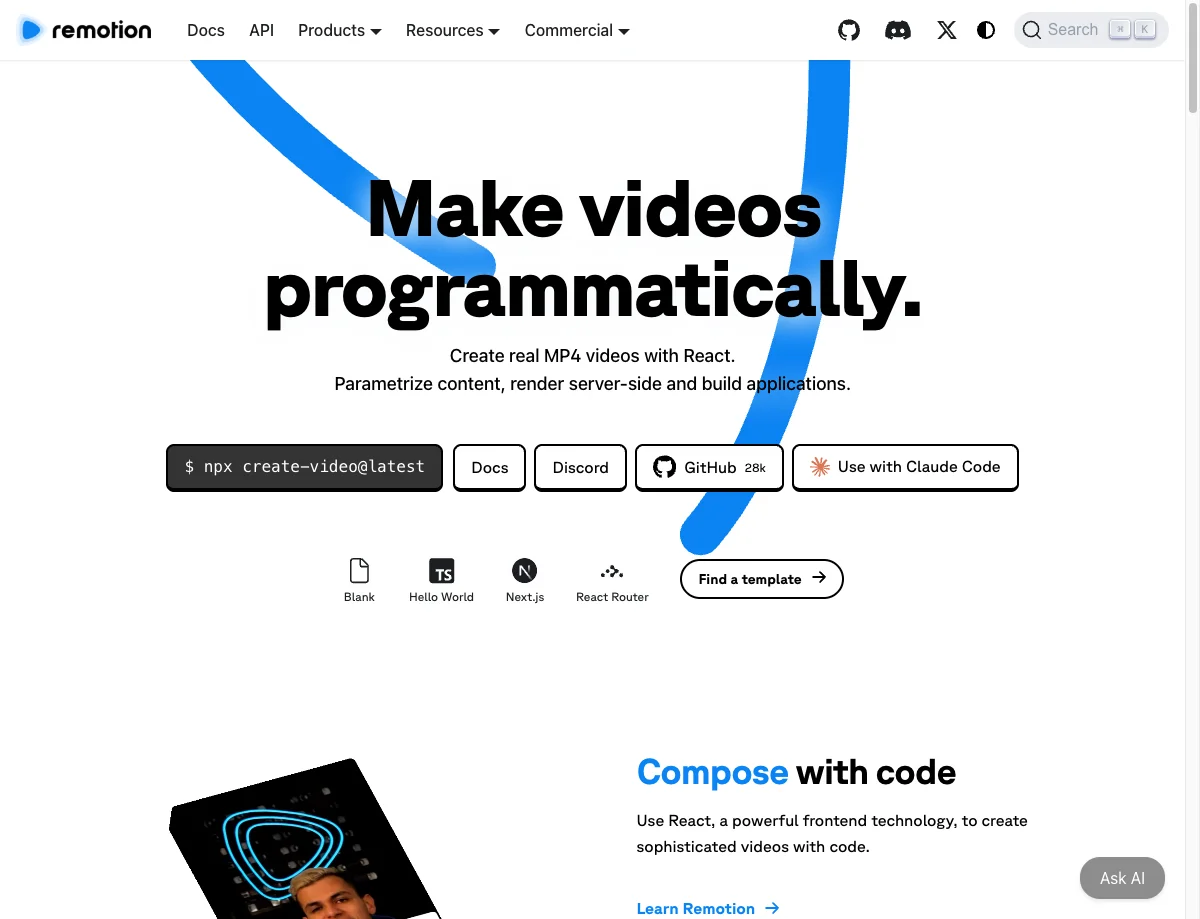 With [Claude Code](https://www.heyuan110.com/posts/ai/2026-01-14-claude-code-guide/) and Remotion, you can literally create videos by having a conversation with AI. And here’s the key insight: **code can be ge …(中间省略 11611 字)… ositioning. Rendering the final video happens through Claude's interface or a simple command: npx remotion render src/index.tsx Video out/final.mp4 Nano Banana Pro for generated visuals. - Remotion: Video composition and rendering Your tenth video requires just the core concept — Claude handles everything else based on established patterns. Have Claude create each section as a separate video
搜索「Claude Code 制作视频 动画 教程」
{
  "query": "Claude Code 制作视频 动画 教程",
  "mode": "standard"
}
Claude Code Just Changed YouTube Videos Forever (Tutorial) Claude Code Just Changed YouTube Videos Forever (Tutorial) How to Use Claude Code for Motion Graphics Introduction to Claude Code • The video introduces the use of Claude Code for creating motion graphics suitable for YouTube and social media platforms. • A faceless channel with nearly 300,000 subscribers and over 100 million views is highlighted as an example of success achievable through these techniques. • The presenter emphasizes the growing popularity of Claude Code and its exceptional capabilities in animation creation. Financial Insights • Based on experience, the presenter estimates that a channel like the one mentioned earns approximately $2 to $3 per 1,000 views, leading to potential earnings of $200,000 to $300,000 from 100 million views. Getting Started with Claude Code Giuliano Franca liked this I'm using Claude Code for motion graphics and animation. The results are more personal and consistent than direct video generation and every element is editable by hand. For the video attached, here's the steps I took: 1. Set up the repo before asking for anything creative. My first prompt was about architecture, not the ad. I was sure there would be libraries available but I wasn't sure what. We landed on React with Remotion as the video engine. 2. Describe the outcome, not the execution. I gave it the business, the audience, the price points, the voice, and what pain I wanted the audience to feel. …(中间省略 6762 字)… refine the video based on your feedback. License MIT License - see LICENSE file for details. About Claude Code Skill for creating animations with Manim. Claude Code autonomously plans scenes, writes Manim code, renders videos, and refines based on feedback. Topics Resources License Stars 108 stars Watchers 0 watching Forks Releases No releases published Packages Contributors
思考:规划视频制作方案与本地渲染选项。
规划视频制作方案与本地渲染选项。
对,这波视频基本都不是 AI 直接"生成"画面,而是 Claude 写代码,代码渲染成视频。
主流做法:Claude Code + Remotion
Remotion 就是"用 React 写视频",所有内容都用代码描述。每一帧都是一个 React 组件,动画靠
interpolate()和spring()这类函数,再由内置的无头 Chromium 把这些帧渲染成视频。今年火起来的关键是 Remotion 官方出了 Agent Skills。没有这个 skill 的话,Claude 写出来的 Remotion 代码容易有 bug。现在Remotion 官方维护了一个 Claude Code 插件,自带这些 skill,装好之后直接让 Claude 做视频,它会自动加载。Remotion 作者 Jonny Burger 也公开过他和 Claude Code 的完整对话过程。
做得好的人通常这样迭代:
- 先定叙事结构。比如有人把需求拆成 6 个场景的分镜(钩子 → 定义 → 命名 → 规模 → 证据 → CTA),每个场景都分配帧数和一个核心信息。
- 先锁定设计系统,比如颜色和字号,保证每一屏风格统一。
- 先看静帧,再做动画。看 4 张 PNG 只要一分钟,看一次完整渲染要二十分钟。
- 对初版直接提意见,再一轮轮改。
还有一条路线是用 Manim(3Blue1Brown 那种数学动画)。也有现成的 skill,让 Claude 规划场景、写 Python、渲染,再按你的反馈修改。
需要先降低一点预期: 这类视频本质上是高级的动态图形,比较适合产品发布、数据可视化、原理讲解。网上也有人吐槽,Claude 默认做出来的东西偏方块化、套路化,看着像 PPT。所以要做得惊艳,最重要的是审美方向和反复迭代。
我们能做吗?能,而且可以直接在这里做。 我的工作环境里能装 Remotion,写完代码后直接渲染出 MP4 发给你。
做什么题材最影响效果。比如可以给 EasyLighting / Sunricher 的调光产品做一个 30 秒左右的产品宣传片(灯光渐变、场景切换这类内容很适合用代码做动画)。也可以把你博客里某篇技术文章做成讲解动画,或者完全换个主题。你想做哪个方向,大概多长,横屏还是竖屏?
Sources:
你确定是这样么?我说的是 opus 5.5 的事情
干了不到 1 分钟,2 步
搜索 2 次
搜索「Claude Opus 5.5 video」
{
  "query": "Claude Opus 5.5 video",
  "mode": "standard"
}
Card del titolo hero per Claude Opus 5.5 con la scritta "Cosa produce davvero un video al primo colpo", con il logo OrcaRouter nell'angolo in basso a destra. Claude Opus 5.5 gira un video musicale in un colpo solo: cosa produce davvero "Plan a Video" Un segnale pubblicato su X il 23 settembre 2026 recita: "Piano di Claude: un video di opus 5.5 one shotted", con allegato un omaggio a @jeffgwoah. Claude Opus 5.5 non è un modello non ancora rilasciato da scovare da un leak. Ecco la versione breve, ed è la parte che la maggior parte dei repost omette: nelle demo che reggono un esame attento, Claude Opus 5.5 non genera pixel. L'output è un programma, non un file video. Il suo README afferma che il video "ha richiesto due generazioni, entrambe in Claude Code", la prima attribuita a Claude Opus 5.5 (Medium) e la seconda a Claude Opus 5.5 con effort predefinito. Quindi la frase accurata non è "Claude Opus 5.5 ha generato un video". È "Claude Opus 5.5 ha scritto, e poi diretto, un programma che renderizza un video". Il video ha richiesto due generazioni, non una. Artificial Analysis ha misurato Claude Opus 5.5 sul suo Intelligence Index a 58 al massimo sforzo — il punteggio più alto che abbia registrato, con diversi punti di vantaggio sui modelli successivi — e ha riportato che il modello consuma circa 119.000 token di output per attività dell'Indice, contro circa 73.000 per Claude Opus 5 e circa 78.000 per Claude Fable 5.1. Se speravi in un modello di generazione video, Cla …(中间省略 11730 字)… e Opus 5.5에 의해 이루어졌다고 합니다. 그러므로 정확한 문장은 "Claude Opus 5.5가 영상을 생성했다"가 아니다. "Claude Opus 5.5가 영상을 렌더링하는 프로그램을 작성하고, 그런 다음 연출했다"이다. Artificial Analysis는 Claude Opus 5.5를 자사의 Intelligence Index에서 최대 노력(maximum effort) 설정으로 측정한 결과 58점을 기록했다고 밝혔는데, 이는 이 지수가 기록한 최고 점수이자 다음 모델들을 몇 점 차로 앞선 결과이며, 이 모델이 Index 작업당 약 119,000개의 출력 토큰을 소비한다고 보고했다. 이는 Claude Opus 5의 약 73,000개, Claude Fable 5.1의 약 78,000개와 대비된다.
搜索「Opus 5.5 生成视频」
{
  "query": "Opus 5.5 生成视频",
  "mode": "standard"
}
Skip to content Repository files navigation I'm Upping My P(doom) Source code for the Claude Opus 5.5 music video for I'm Upping My P(doom). recursion_loop I've also made a new more reliable and general base for making Claude animations with Claude Opus 5.5. hello_loop Highly recommend checking it out! Credits How it was made The video took two generations, both in Claude Code: 1. First generation (legacy/): Claude Opus 5.5 (Medium) 2. Second generation (everything else): Claude Opus 5.5 Everything in this repository was generated by the model. No scene ideas were specified. The only direction was to: • use the Clawd character design • give each lyric interesting visuals and transitions ANIMATION_GUIDE.md was written by Opus to brief the subagents it ran in parallel. Opus,掀了AIGC的桌子 2.jpg 2026年9月末,Anthropic发布了Claude Opus 5.5。 最初,人们以为这又是一次常规的旗舰迭代。但真正让整个科技圈陷入疯狂的,发生在发布后的几天里。X的时间线上,突然被一种前所未有的视频内容淹没:有人用纯代码搓出了一支完整的音乐MV,有人让模型连续工作12小时,从零生成一部动画短片。 这些视频的共同点是:Opus 5.5没有输出任何一帧视频画面。它做的是另一件事——写代码,让代码去画画面,电脑把画面一帧帧存下来,拼成视频。 当一个“会写代码”的模型,交出来的不是代码,是视频时,AI视频的叙事就被彻底改写了。 —— 不是生成,是“导演” 要理解Opus 5.5的视频能力,需要先理解它和Sora、Seedance这类视频生成模型的本质区别。 视频生成模型的逻辑是“像素级生成”。它从海量视频数据中学习画面规律,然后“画”出新的像素。这种方式的优势是能生成写实画面,但劣势同样明显:画面不可控、细节容易闪烁、无法精确编辑。 Opus 5.5走的是另一条路。它不生成像素,它生成渲染代码。常见的工具链包括HTML Canvas、p5.js、Three.js、Remotion、Manim和GSAP。Opus 5.5写出这些代码,然后通过无头浏览器逐帧渲染,再用FFmpeg合成MP4文件。 这个流程的关键在于“确定性渲染”。每一帧都是代码计算出来的结果,不是概率生成的。这意味着画面精确可控、可复现、没有生成式闪烁。对于动画、动态图形、科普讲解、产品发布片这类需要精确控制画面元素和运动轨迹的场景,代码渲染的优势 …(中间省略 4087 字)… nd Steve Jobs tributes; a community challenge reveals prompt engineering techniques including beat-map synchronization, seek(t) time functions, and iterative low-res previews, while leaked benchmarks suggest Sonnet 5.5 outperforms GPT-6 models on pixel animation. AI video generationClaudeOpus 5.5 0 likes · 10 min read Opus 5.5 Codes Music Videos: Musk Retweets, Prompt Engineering, Sonnet 5.5 Leak
思考:Identifying the specific technology and timeline involved.
Identifying the specific technology and timeline involved.
你说得对,我上一条答偏了。我讲的是今年年初 Remotion skill 那一波,而你说的是 9 月底 Opus 5.5 发布后的这一波。顺便说一下,现在跟你对话的就是 Opus 5.5。
这一波是怎么回事
2026 年 9 月末 Anthropic 发布了 Opus 5.5,发布后几天里,X 的时间线被一类视频刷屏:有人用纯代码做出完整的音乐 MV,有人让模型连续干 12 小时、从零做出一部动画短片。最出圈的是 《I'm Upping My P(doom)》那支 MV,源码已经开源,作者说做了两轮生成,都在 Claude Code 里完成,没有指定任何场景创意,只要求用 Clawd 形象、给每句歌词配有意思的画面和转场。
原理其实和我上次说的是同一类,只是能力上了一个台阶:Opus 5.5 不输出任何一帧画面,而是写代码,让代码画画面,再逐帧存下来拼成视频。它用 SVG、Canvas 2D、WebGL 或 Three.js 画出人物、背景、光影,用时间轴和缓动曲线控制每个图层怎么动;配乐、音效、旁白也由代码生成并按时间点卡点;最后用无头浏览器逐帧截图,再用 FFmpeg 合成 MP4。所以 Remotion 只是可选工具之一,不再是主角。
为什么偏偏是这次爆了
写代码做动画并不新鲜。区别在于,以前模型写到几百行就容易乱,现在能稳定撑住几千行的时间轴代码,还能自己拆任务、并行调度。P(doom) 那个项目里,ANIMATION_GUIDE.md 就是 Opus 自己写的,用来给它并行跑的子 agent 做简报。社区总结出来的技巧有:节拍图(beat map)对齐、seek(t) 时间函数、先出低分辨率预览再迭代。
也有一些混合玩法,比如 搭配 Seedance 2.5 出电影级片段,或者让 Opus 5.5 用 Python 写钢琴曲、做 3D 动画再交给 Blender 渲染。这类就不是纯代码了,需要外部视频模型的 API。
我们能做吗?能,而且就在这里做。 我有工作环境,可以写 Canvas/SVG 动画,用无头浏览器逐帧渲染,再用 FFmpeg 合成 MP4 发给你,甚至可以用代码合成简单的配乐。限制是我这边调不了 Seedance 这类外部视频模型,所以写实画面做不了,要走的是动画和动态图形路线。
你想做什么?比如一支 30–60 秒的灯光主题短片(调光、色温渐变很适合这种渲染方式),一个技术概念讲解,或者给一首歌做 MV(如果有音频可以发我,我按节拍卡点)。
Sources:
Claude,10 月 13 日 10:53–10:55。已去掉系统提示词;路径、账号等信息已脱敏;工具的长输出已截断。